Customer billing data, VAT fields, contact context, payment terms, due dates, and invoice ownership
 Module
Sales invoicing, invoice management, payment tracking, and receivables ERP software
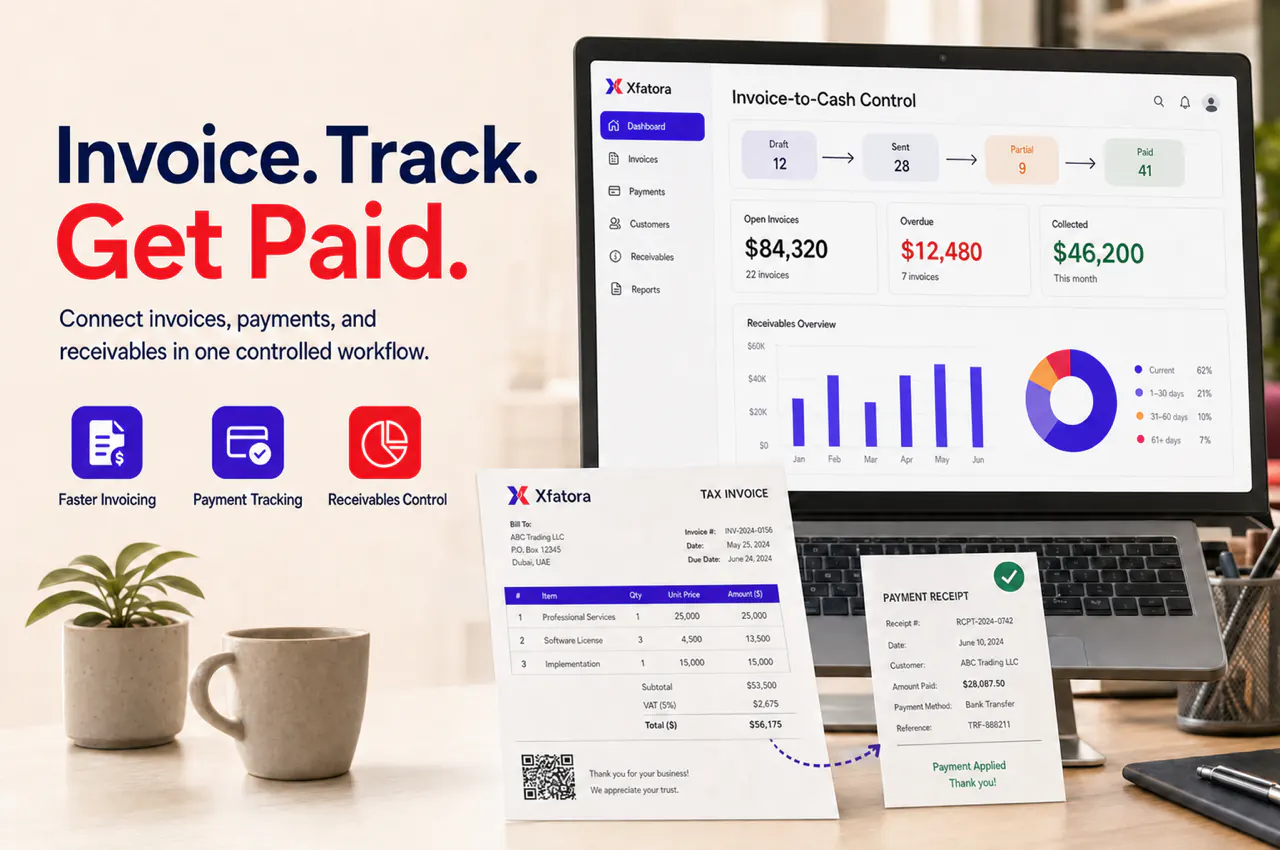
Connect estimates, customer invoices, payments, credit notes, receivables, ZATCA context, and finance review in one invoice-to-cash workflow.
Xfatora Sales Invoicing and Payments helps sales, account management, finance, and operations teams issue invoices, track partial payments, manage overdue balances, handle credit notes, and keep receivables visible before month-end.
KSA Compliance
Saudi invoicing controls for this module
Map this module to your ZATCA rollout so finance, sales, and compliance teams share one controlled process.
What this module helps you control
Estimate, proposal, or accepted commercial document conversion into customer invoice workflow
Invoice status control from draft, issued, sent, partially paid, paid, overdue, disputed, corrected, or credited
Payment tracking for full payments, partial payments, payment modes, remaining balances, and payment history
Credit notes, debit notes, commercial adjustments, correction reason, reference invoice context, and approval ownership
Receivable aging, overdue customer balances, collection follow-up ownership, and customer statement context
Sales-to-finance handoff into Accounting, Financial Reporting, ZATCA Compliance, E-Invoicing, and Data Exporter
Weekly invoice-to-cash review cadence covering accepted estimates not invoiced, overdue invoices, partial payments, disputes, and credit notes
Business outcomes teams expect
Reduce missed billing follow-up by keeping estimates, invoices, payments, and customer balances in one workflow.
Improve receivable visibility before month-end instead of discovering overdue balances during financial close.
Give sales and finance one shared invoice status instead of separate spreadsheets and manual reminders.
Make partial payments, overdue balances, and credit notes easier to review per customer.
Connect invoice data to Accounting, Financial Reporting, ZATCA Compliance, E-Invoicing, and Data Exporter.
Help account owners understand what happened after a deal was won: invoiced, paid, overdue, disputed, or adjusted.
Support controlled invoice-to-cash governance for multi-branch, service, retail, manufacturing, and project businesses.
Prepare better demos by testing real invoices, partial payments, overdue customers, and credit-note scenarios.
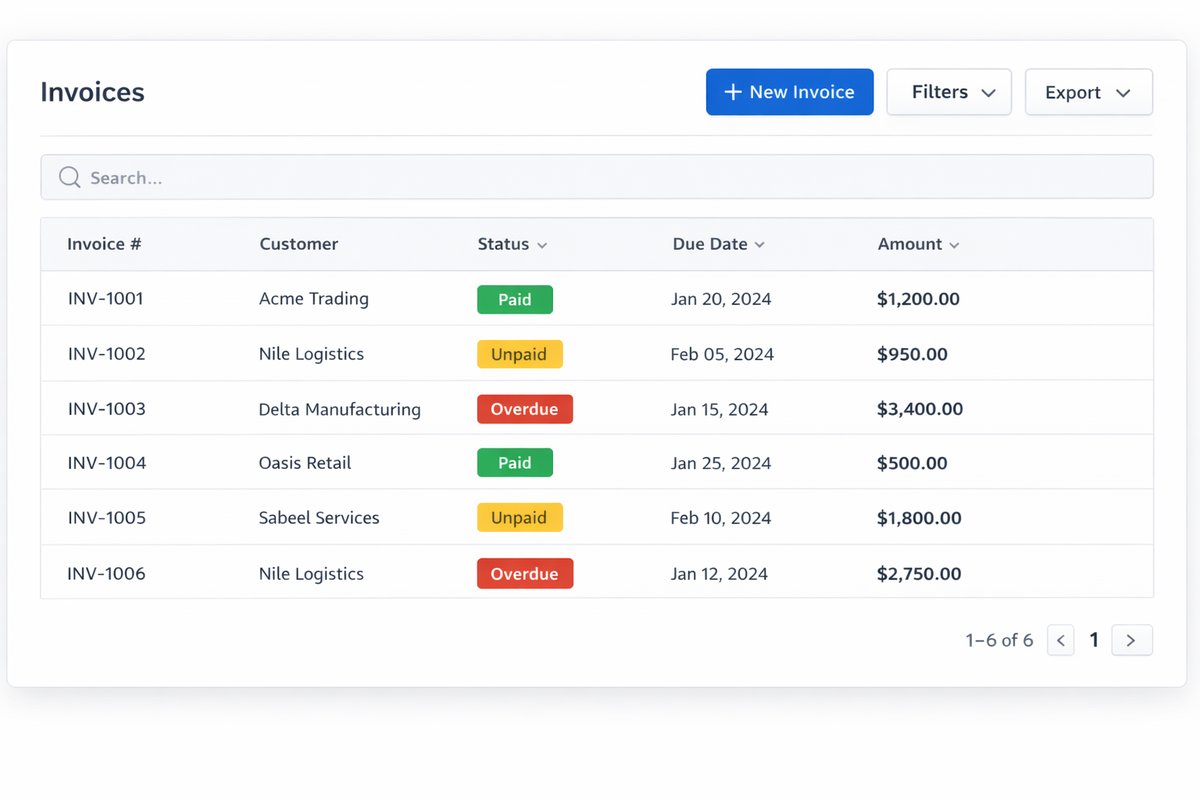
Screenshots
Real screens from the platform.
What teams use most in this module
Practical capabilities that make day-to-day execution faster, cleaner, and easier to govern.
Customer Invoice Management
Create and review customer invoices with billing data, due date, payment terms, and customer context finance needs.
Customer and billing data checks
Invoice status tracking
Due date and payment term visibility
Customer statement context
Invoice history by customer
Estimate-to-Invoice Handoff
Move accepted estimates or commercial approvals into invoice readiness without losing sales context.
Accepted estimate review
Commercial document handoff
Invoice readiness checklist
Sales and finance owner visibility
Reduced unbilled work
Payment Tracking
Track full payments, partial payments, payment modes, remaining balances, and payment history on the invoice record.
Paid, unpaid, and partially paid status
Payment mode mapping
Remaining balance visibility
Customer payment history
Collection follow-up context
Receivables and Aging Visibility
Give finance and account owners a clearer view of overdue invoices, aging buckets, and collection priorities.
Outstanding receivables
Overdue invoice lists
Customer balance review
Receivable aging
Collection owner assignment
Credit Notes and Adjustments
Handle commercial adjustments with reference invoice context and approval clarity.
Credit note workflow
Debit note or adjustment context
Original invoice reference
Correction reason notes
Finance review before reporting
Invoice-to-Cash Review
Run a weekly operating review that connects sales commitments, invoice issuance, payment follow-up, and finance reporting.
Accepted estimates not yet invoiced
Unpaid and overdue invoices
Partial payment follow-up
Disputed invoice review
Credit-note activity
Compliance and E-Invoicing Handoff
Keep invoice data aligned with ZATCA, EU e-invoicing, QR, XML, and audit evidence workflows where applicable.
Seller and customer tax data readiness
Credit-note and debit-note context
Invoice output review
ZATCA and e-invoicing handoff
Audit and close evidence
Exports and Collection Packs
Prepare receivable, collection, and invoice review packs without rebuilding spreadsheets manually.
Receivable export packs
Customer statement support
Collection review lists
Audit or management datasets
Month-end handoff packs
Start with this workflow
Follow these structured steps to launch one controlled process first, then expand.
Sales invoicing rollout readiness
1
Bring one accepted estimate, one normal invoice, one partial payment, one overdue customer, one credit note, and one disputed or corrected invoice
2
Confirm customer billing data, VAT fields, payment terms, invoice owner, and finance reviewer
3
Define invoice status values and when each owner acts
4
Decide which route connects to Accounting, ZATCA, E-Invoicing, Financial Reporting, and Exports
5
Approve the weekly invoice-to-cash review cadence
Convert estimate to invoice
1
Confirm accepted estimate or commercial approval
2
Review customer billing fields and tax data
3
Generate customer invoice
4
Assign due date and payment terms
5
Send or issue invoice
6
Track invoice status until payment or adjustment
Record partial or full payment
1
Select invoice
2
Record payment amount and method
3
Update remaining balance
4
Review customer payment history
5
Flag follow-up if balance remains open
Manage overdue invoice follow-up
1
Review aging and overdue invoices
2
Assign sales, account, or finance owner
3
Add follow-up notes
4
Resolve dispute or collect payment
5
Update status for finance review
Issue credit note or adjustment
1
Select original invoice
2
Confirm reason and approval owner
3
Create credit note or adjustment
4
Review receivable impact
5
Send to finance, ZATCA, e-invoicing, or reporting workflow when required
Month-end receivables handoff
1
Review invoice status and payment status
2
Validate overdue balances and partial payments
3
Review credit notes and disputes
4
Export receivable or collection pack
5
Hand off final status to Accounting and Financial Reporting
Who this module is for
Finance leaders
Accounts receivable teams
Sales managers
Account managers
Billing operations teams
Customer success teams
ERP administrators
Implementation teams preparing invoice-to-cash rollout
Common problems this module helps solve
Accepted estimates are not invoiced quickly enough
Sales and finance disagree on invoice or payment status
Partial payments are recorded but remaining balances are unclear
Overdue invoice follow-up depends on informal reminders
Credit notes are handled without enough invoice reference context
Receivable aging is reviewed only after month-end pressure starts
Customer billing data or VAT fields are incomplete
Invoice, ZATCA, e-invoicing, and accounting evidence are stored in separate places
Where teams apply this module
Businesses that issue customer invoices and need better payment tracking
Sales teams converting accepted estimates into invoices
Finance teams reviewing overdue invoices, partial payments, and receivable aging
Account managers who need customer balance and payment history visibility
Saudi companies preparing invoice, credit note, and ZATCA readiness scenarios
Multi-branch teams that need customer invoice status and receivables by branch or owner
Companies moving from manual invoice follow-up to invoice-to-cash governance
Connected records across modules

CRM and Sales: customer records, estimates, proposals, contracts, and account context feed invoice readiness.

Accounting: invoices, payments, credit notes, receivables, and customer balances support finance review and close.
Financial Reporting: invoice status, revenue, receivables, overdue balances, and credit notes affect management packs.
ZATCA Compliance: invoice data, seller data, customer tax fields, credit notes, QR, and XML readiness may require review for Saudi businesses.

E-Invoicing (EU): structured electronic invoice workflows should remain connected to invoice source data and correction context.
Data Exporter: receivable aging, overdue invoices, payment follow-up, and customer balance packs can support audit and collection review.
Built-in Reports & Analytics
Invoices by status
Accepted estimates not yet invoiced
Paid, unpaid, partially paid, and overdue invoices
Customer balance and statement context
Receivable aging
Credit notes and adjustments
Payment follow-up list
Month-end invoice and receivable handoff pack
Compliance & Implementation Resources
Practical guides to help you rollout and validate workflows.
Sales Invoicing Implementation Checklist
Prepare invoice fields, payment modes, credit-note rules, receivable ownership, and finance reporting.
Read guideInvoicing and Payments Implementation Checklist
Implement invoicing, payment follow-up, receivables, approvals, customer ownership, and finance reporting.
Read guideZATCA Compliance Implementation Checklist
Prepare invoice scenarios, credit notes, seller data, customer fields, QR, XML, and readiness controls.
Read guideFAQ
Is Sales Invoicing separate from CRM?
It should stay connected to CRM. CRM owns the customer and commercial context, while Sales Invoicing controls invoice readiness, payment tracking, credit notes, and receivable visibility.
Can it work before a full accounting rollout?
Yes, but finance handoff rules should be defined early so invoice status, payments, balances, and credit notes remain reliable.
What should managers review weekly?
Review accepted estimates not invoiced, unpaid invoices, overdue balances, partial payments, disputed invoices, and credit-note activity.
How does this help receivables?
It gives teams one place to review customer invoices, payment status, remaining balances, aging, and follow-up ownership.
How does it connect to ZATCA or e-invoicing?
Invoice source data, customer tax fields, credit-note references, and invoice status should be ready before ZATCA or e-invoicing workflows rely on them.
What should we prepare before a demo?
Prepare one accepted estimate, one issued invoice, one partial payment, one overdue customer, one credit note, and one disputed or corrected invoice.
Plans that include this module
Confirm commercial fit before rollout planning.
Starter Plan
Growth Plan
Business Plan
Enterprise Plan
Ready to evaluate Sales invoicing, invoice management, payment tracking, and receivables ERP software with your team?
We will map this module to your current process, owners, controls, and rollout timeline.
User guide
How to use Sales invoicing, invoice management, payment tracking, and receivables ERP software
Setup checklist, key workflows, reports, and troubleshooting.
Talk to our solution team
Tell us what you need and we will reply with a rollout plan and recommended modules.
Fields marked with * are required.
Related content
Related Modules
Often fits plan: Enterprise
AI Sales Assistant
Use AI-assisted calling and qualification workflows to improve first-contact consistency, lead follow-up, call summaries, and CRM handoff discipline.
Often fits plan: Enterprise
Asset Management
Control asset records, custody, locations, maintenance, audits, depreciation, and lifecycle accountability from one controlled workspace.
Often fits plan: Enterprise
Asset Management
Manage company assets, custody, locations, maintenance, audits, depreciation, and lifecycle accountability from one controlled workspace.
Related Use Cases
Accelerate Order to Cash
Connect sales, fulfillment, invoicing, and collections to reduce revenue leakage and improve cash conversion.
order-to-cash
revenue-operations
cash-flow
Control Production Costs
Tie material usage, labor capture, and overhead allocation to each production order for reliable margins.
manufacturing-management
costing
inventory-warehousing
Related Industries
ERP for Manufacturing Operations
Manufacturing ERP for production planning, MRP, inventory, quality, costing, and shop-floor control across growing factories.
manufacturing
mrp
production
ERP for Clinics and Outpatient Networks
Sector playbook covering pain points, workflows, module fit, and buying checklist for erp for clinics and outpatient networks.
industry
operations
erp
Related Guides
Build ZATCA audit trail controls for SMB finance teams
Practical guide for build zatca audit trail controls for smb finance teams with execution steps and buying support links.
zatca
saudi
compliance
ERP Implementation Playbook
A practical, phased guide to planning, launching, and scaling ERP adoption across teams with measurable outcomes.
implementation
operations
change-management