
Approvals move faster than the audit trail
Requests, purchase decisions, stock actions, and finance approvals are hard to trust when they live in chat, email, and spreadsheets.
Connected cloud ERP
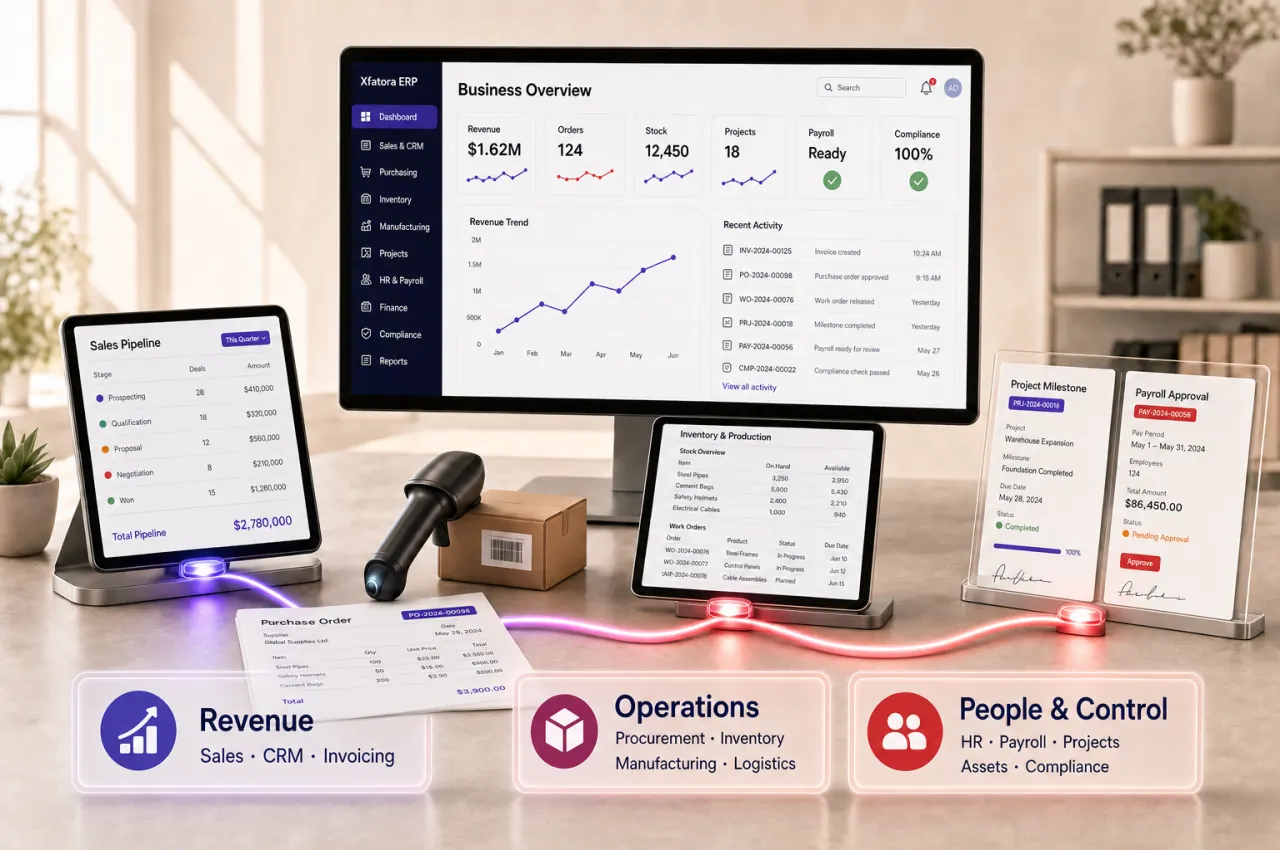
Connect finance, sales, inventory, procurement, manufacturing, HR, and compliance in one operating system built for growing companies.
Why teams look for ERP
ERP becomes urgent when decisions, approvals, stock movement, invoices, payroll, and reports stop matching the pace of the business.
Requests, purchase decisions, stock actions, and finance approvals are hard to trust when they live in chat, email, and spreadsheets.
Leaders lose time when sales, inventory, projects, payroll, and accounting data need manual cleanup before they become usable.
Sales, operations, finance, and service teams need one record of the customer, order, invoice, delivery, and responsibility.
Choose your first workflow
Use Xfatora as a staged platform: fix one important workflow first, then expand when ownership, records, and reporting are clear.
Connected operating flow
Xfatora is built around the work that crosses teams: sales to invoice, purchase request to receipt, stock movement to accounting, production to fulfillment, and payroll to finance.
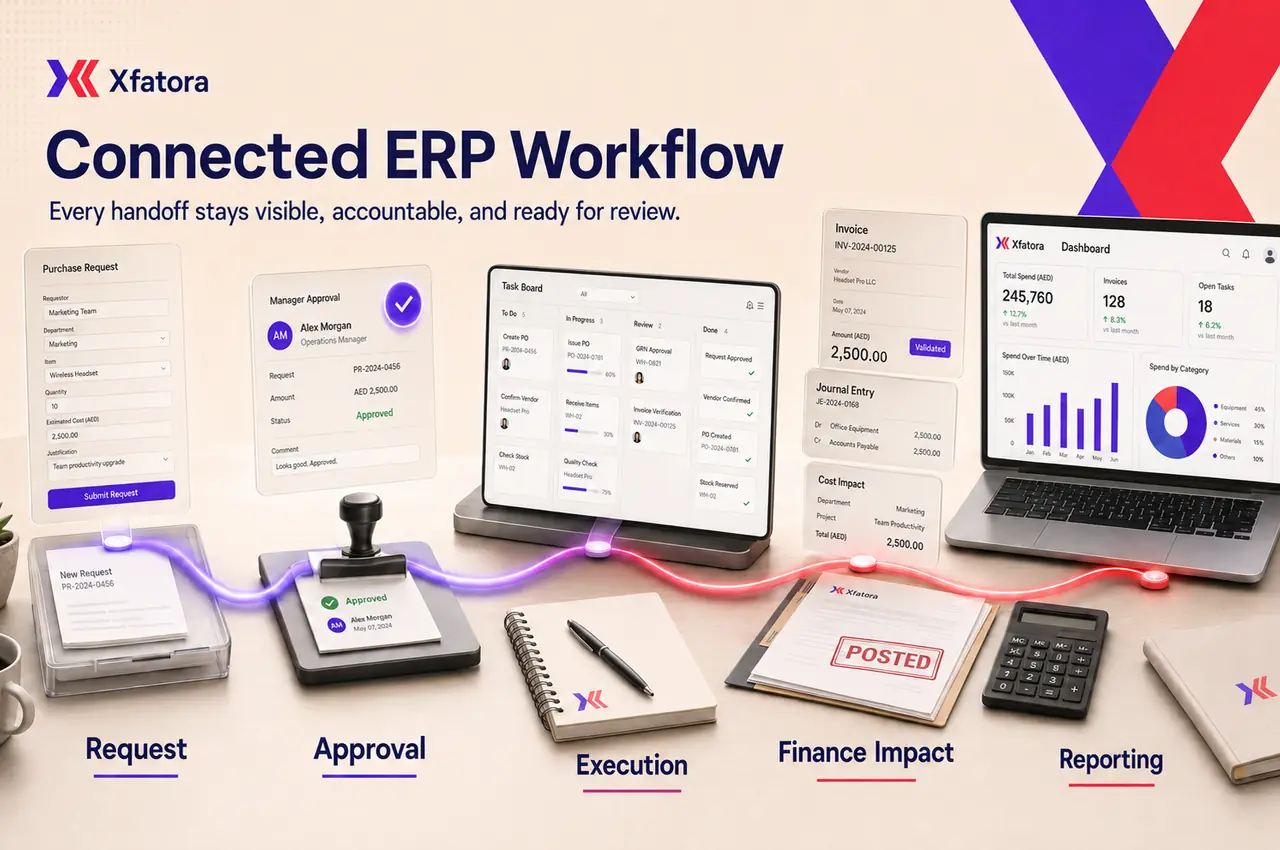
Stabilize invoicing, receivables, payables, journals, approvals, and management reporting.
Review accounting ERPConnect procurement, inventory, logistics, assets, warranty, and execution work in one accountable flow.
Explore operations workflowsBring MRP, scheduling, MES, quality, downtime, OEE, and traceability into one production flow.
Explore Manufacturing plansConnect invoice, tax, exchange-file, and local reporting requirements with sales and finance records.
Review market pathsPopular starting modules
Start with the module group closest to the business problem, then expand when adoption is stable.
Connect leads, quotes, follow-ups, and invoices in one clearer sales workflow.
Review module fitControl journals, receivables, payables, close work, and financial reporting.
Review module fitTrack stock movement, transfers, and reconciliations with less spreadsheet work.
Review module fitStandardize purchase requests, approvals, purchase orders, and receiving controls.
Review module fitPlan production orders, bills of materials, and shop-floor execution with inventory context.
Review module fitSupport Saudi e-invoicing readiness across sales, invoicing, and compliance workflows.
Review module fitRollout path
A practical ERP rollout should reduce operational risk, not create a new one. Xfatora is positioned for phased adoption across finance, operations, sales, and HR.
Pick the area creating the most delay, rework, or reporting risk.
Clarify who creates, reviews, approves, posts, delivers, and follows up.
Start with the modules that solve the first workflow before widening adoption.
Add the next workflow when records, ownership, and reports are stable.
Next step
We will help you choose whether to start with pricing review, module fit, or a guided demo mapped to your rollout path.
Focused apps for focused jobs, connected to the same ERP platform. Download the approved app for your device and keep each role close to the work.

Keep accounts, journals, balances, receivables, payables, and financial reporting connected to XFatora data and role permissions.
Explore module capabilities
Run checkout, products, payments, and shifts while keeping store activity connected to inventory and reporting.
Explore module capabilities
Keep items, balances, receipts, issues, transfers, and stock counts close to the warehouse floor and connected to ERP.
Explore module capabilities
Keep purchase requests, suppliers, quotations, orders, receipts, and approvals moving in a focused procurement workspace.
Explore module capabilities
Bring work orders, materials, execution, and quality closer to factory teams while planning and records stay connected.
Explore module capabilities
Manage the asset register, custody, locations, documents, and asset status from a field-ready app connected to XFatora.
Explore module capabilities
Connect dispatch and technicians across assigned jobs, inspections, diagnosis, work and parts, time, evidence, customer signatures, completion, and service reports.
Explore module capabilities
Manage vehicles, drivers, assignments, odometers, fuel, maintenance, inspections, renewals, and operating costs from an ERP-connected fleet app.
Explore module capabilities
Move leads, opportunities, follow-ups, and quotations forward from one organized mobile sales workspace.
Explore module capabilities
Keep developments, units, customers, reservations, contracts, payment plans, and collections connected in a focused real estate app.
Explore module capabilities
Plan projects, assign tasks, and follow deadlines, milestones, files, and time while keeping team collaboration in context.
Explore module capabilities
Bring attendance, leave, schedules, employee records, permission-aware payroll access, workload, and goals closer to every role.
Explore module capabilitiesWe will add each download only after approval and a public store listing—no placeholder links and no invented launch dates.