وحدة المحاسبة في ERP
الإقفال الشهري يتأخر
ابدأ بالمحاسبة عندما تتأخر التقارير بسبب فواتير ناقصة أو قيود غير مراجعة أو فروقات مطابقة.
فحص قبل العرض: حدد أول فترة إقفال ستختبرها داخل النظام.
وحدة المحاسبة في ERP
إكس فاتورة يساعد فريق المالية على ضبط دليل الحسابات والقيود والذمم المدينة والدائنة والمطابقة البنكية والتقارير، مع ربط الأثر المالي بالمبيعات والمشتريات والمخزون ومتطلبات الفوترة الإلكترونية حسب السوق.
ابدأ بمسار مالي واحد قابل للقياس، ثم توسع عندما تصبح التقارير والمطابقات والمسؤوليات مستقرة.
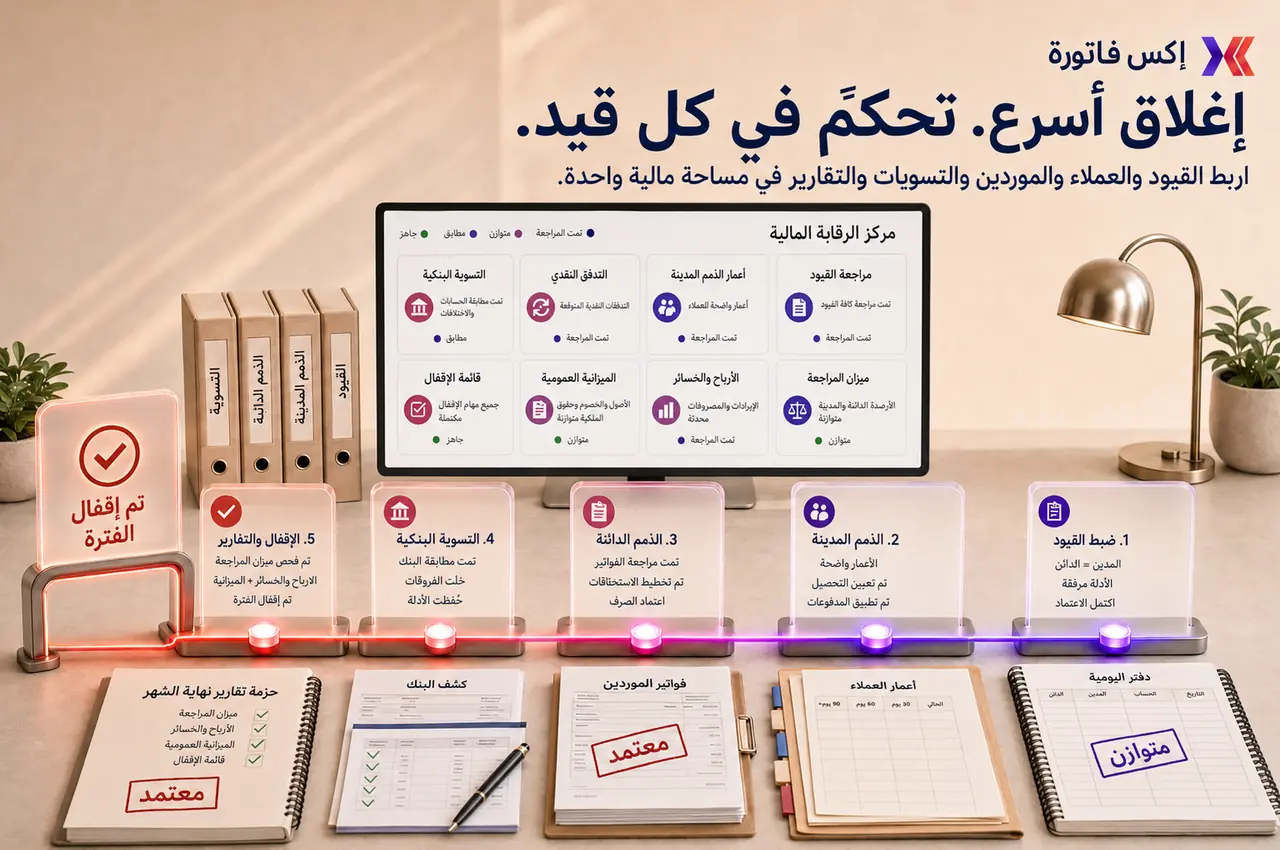

تابع الحسابات والقيود والأرصدة والذمم والتقارير المالية من تطبيق محاسبي متصل ببيانات إكس فاتورة وصلاحيات العمل.
متى تبدأ بالمحاسبة؟
هذه السيناريوهات تساعدك على معرفة هل المحاسبة هي أفضل نقطة بداية في تطبيق ERP.
ابدأ بالمحاسبة عندما تتأخر التقارير بسبب فواتير ناقصة أو قيود غير مراجعة أو فروقات مطابقة.
فحص قبل العرض: حدد أول فترة إقفال ستختبرها داخل النظام.
اربط الفواتير والمدفوعات وأعمار الذمم حتى يعرف فريق المالية من يتابع كل رصيد مفتوح.
فحص قبل العرض: راجع أعمار الذمم وأكبر العملاء المتأخرين قبل العرض.
اضبط الذمم الدائنة والاعتمادات ومواعيد السداد حتى تظهر الالتزامات قبل قرار الدفع.
فحص قبل العرض: حضّر مثالًا لتدفق فاتورة مورد من الاستلام حتى السداد.
استخدم مسار مطابقة متكرر يوضح الرصيد الافتتاحي والختامي والفروقات والبنود غير المطابقة.
فحص قبل العرض: اختر حسابًا بنكيًا واحدًا لاختبار المطابقة أولًا.
نطاق التحكم المالي
الهدف ليس إضافة شاشة جديدة، بل تحويل العمل المالي المتكرر إلى مسار واضح له مالك وسجل وتقرير.
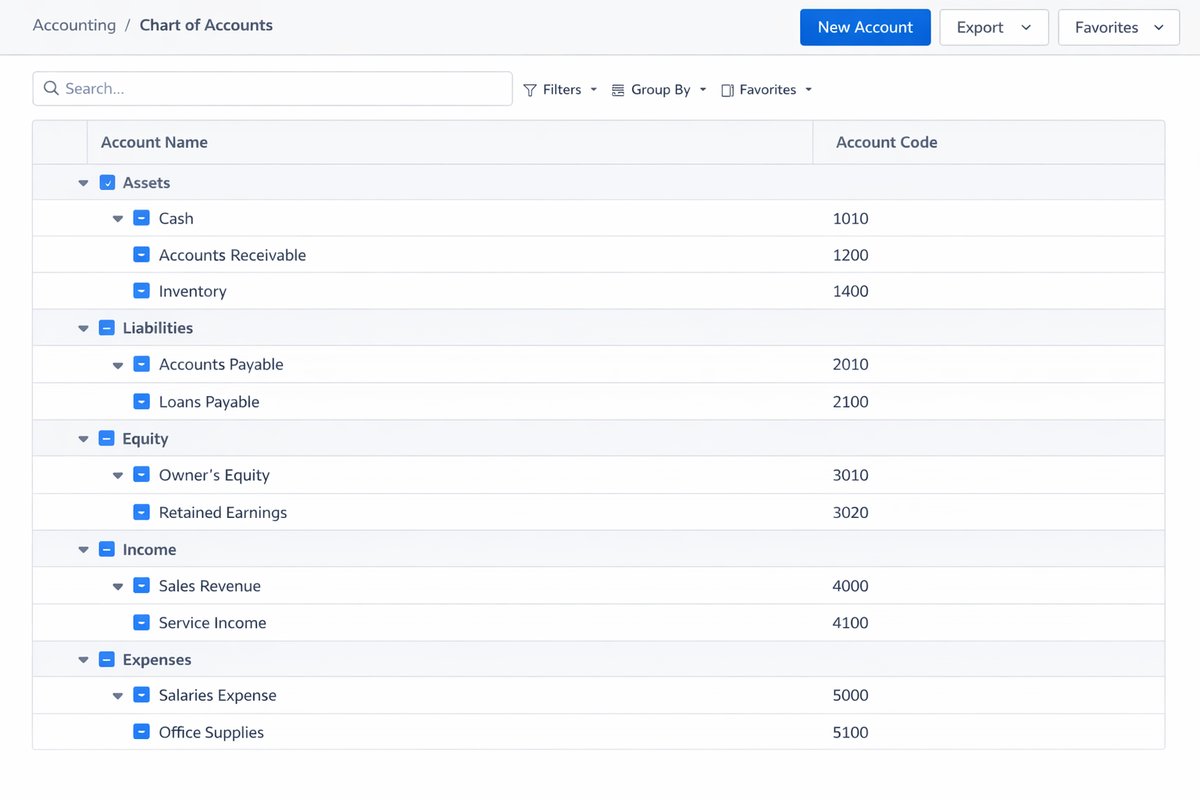
دليل حسابات منظم وسياسات واضحة لاستخدام الحسابات.
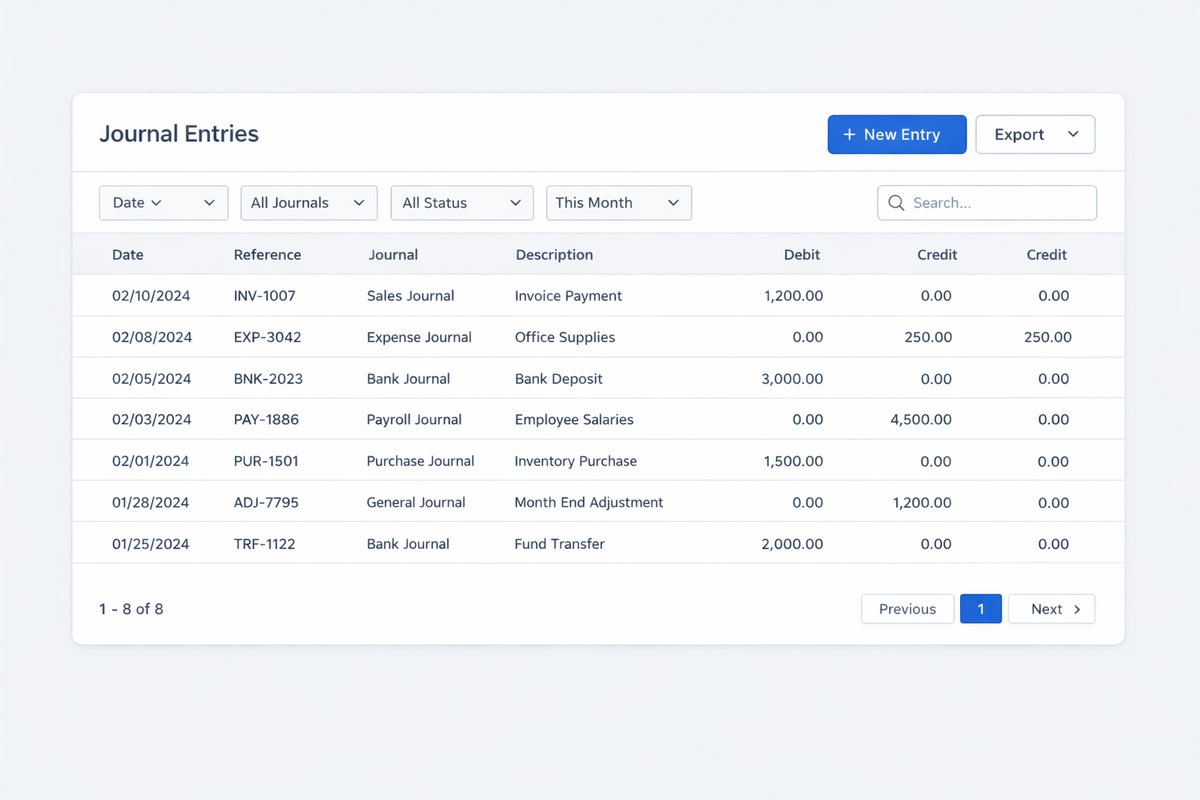
قيود يومية وتسويات بمراجعة وأدلة قبل الترحيل.
ذمم مدينة مع أعمار ديون ومتابعة تحصيل أوضح.
ذمم دائنة مع مراجعة فواتير الموردين ومواعيد السداد.
مطابقة بنكية ونقدية مع متابعة الفروقات غير المحسومة.
إقفال شهري وسياسات منع التعديل على الفترات السابقة.
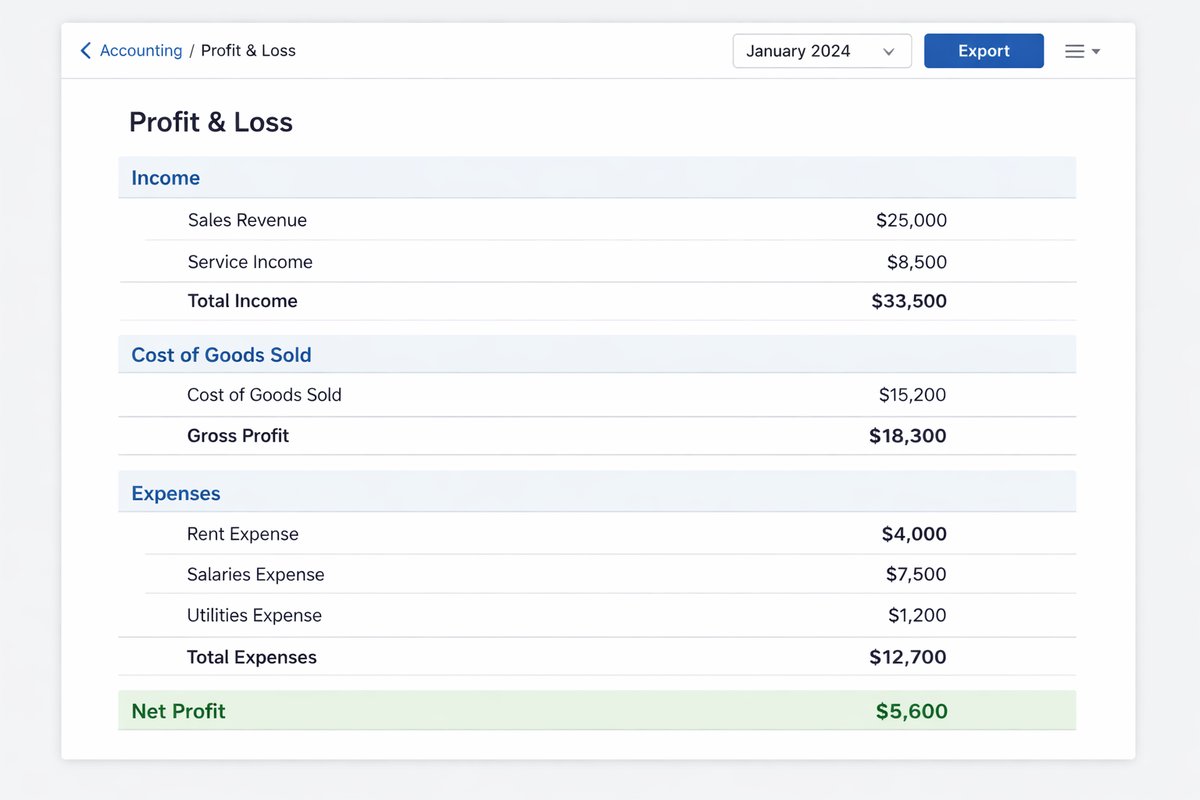
تقارير مالية مثل الأرباح والخسائر والميزانية وميزان المراجعة.
سجل تدقيق يوضح من غيّر ماذا ومتى داخل السجلات المالية.
شاشات المنتج
لقطات فعلية من النظام تساعد فريقك على تقييم السجلات والواجهات قبل العرض.
تسلسل التطبيق
التطبيق الجيد يبدأ بالأساس المالي ثم يختبر دورة حقيقية قبل ربط كل الوحدات دفعة واحدة.
راجع دليل الحسابات، العملاء، الموردين، الضرائب، طرق الدفع، والأرصدة الافتتاحية قبل النقل.
اختر البداية: الذمم المدينة، الذمم الدائنة، المطابقة، القيود، أو الإقفال الشهري.
حدد كيف تنتقل الفاتورة أو أمر الشراء أو حركة المخزون إلى المالية بدون إعادة إدخال.
اختبر دورة شهرية كاملة بتقارير ومطابقات وقيود قبل التوسع إلى وحدات أكثر.
نقاط التسليم
هذه أهم نقاط الربط التي يجب ضبطها قبل الإقفال الشهري.
المبيعات ← الذمم المدينة
الفواتير والمدفوعات يجب أن تظهر في التحصيل وأعمار الديون بدون جداول منفصلة.
المشتريات ← الذمم الدائنة
فواتير الموردين والاعتمادات ومواعيد السداد يجب أن تظهر قبل قرارات النقدية.
المخزون ← المراجعة المالية
حركات المخزون والاستلام والصرف تحتاج خرائط حسابات واضحة قبل الإقفال.
الفوترة الإلكترونية والمتطلبات المحلية ← المالية
بيانات الفاتورة والضريبة وملفات التبادل يجب أن تبقى مرتبطة بسجل الفاتورة.
التقارير المالية
النجاح ليس في تشغيل الوحدة فقط، بل في قدرة الإدارة والمالية على قراءة أرقام يمكن الدفاع عنها.
الأرباح والخسائر لمراجعة الأداء.
الميزانية العمومية لمراجعة المركز المالي.
ميزان المراجعة قبل الإقفال.
دفتر الأستاذ العام للحركة التفصيلية.
أعمار الذمم المدينة والدائنة.
تقارير المطابقة والفروقات.
سجل التدقيق للتغييرات المالية.
مقارنة الميزانية بالمصروف الفعلي عند تفعيل الميزانيات.
غالبًا نعم إذا كانت المشكلة في ثقة التقارير أو تأخر الإقفال أو التحصيل أو الذمم أو المطابقة. أما إذا كانت المشكلة في المخزون أو التشغيل، فيجب ربط المحاسبة مبكرًا حتى لا يتم بناء الأثر المالي يدويًا لاحقًا.
نعم. الأفضل اختيار نطاق مالي واضح أولًا مثل الذمم أو المطابقة أو الإقفال، ثم ربط المبيعات والمشتريات والمخزون بعد استقرار المسار الأول.
جهّز دليل الحسابات، أرصدة افتتاحية، مثال فاتورة عميل، مثال فاتورة مورد، مشكلة مطابقة بنكية، وتقرير شهري تعتمد عليه الإدارة.
يجب أن تبقى الفاتورة والضريبة وملفات التبادل وأدلة المعالجة مرتبطة بالسجل المالي حتى لا تتحول متطلبات السوق إلى عمل يدوي منفصل.
شاركنا دليل الحسابات، مثال ذمم، مثال فاتورة مورد، مشكلة مطابقة، وتقرير شهري مهم. سنقترح نطاق البداية والباقات المناسبة.