Module

Time & Attendance

Manage attendance, annual leave, shifts, workplace controls, and additional work hours in one disciplined operational workflow.

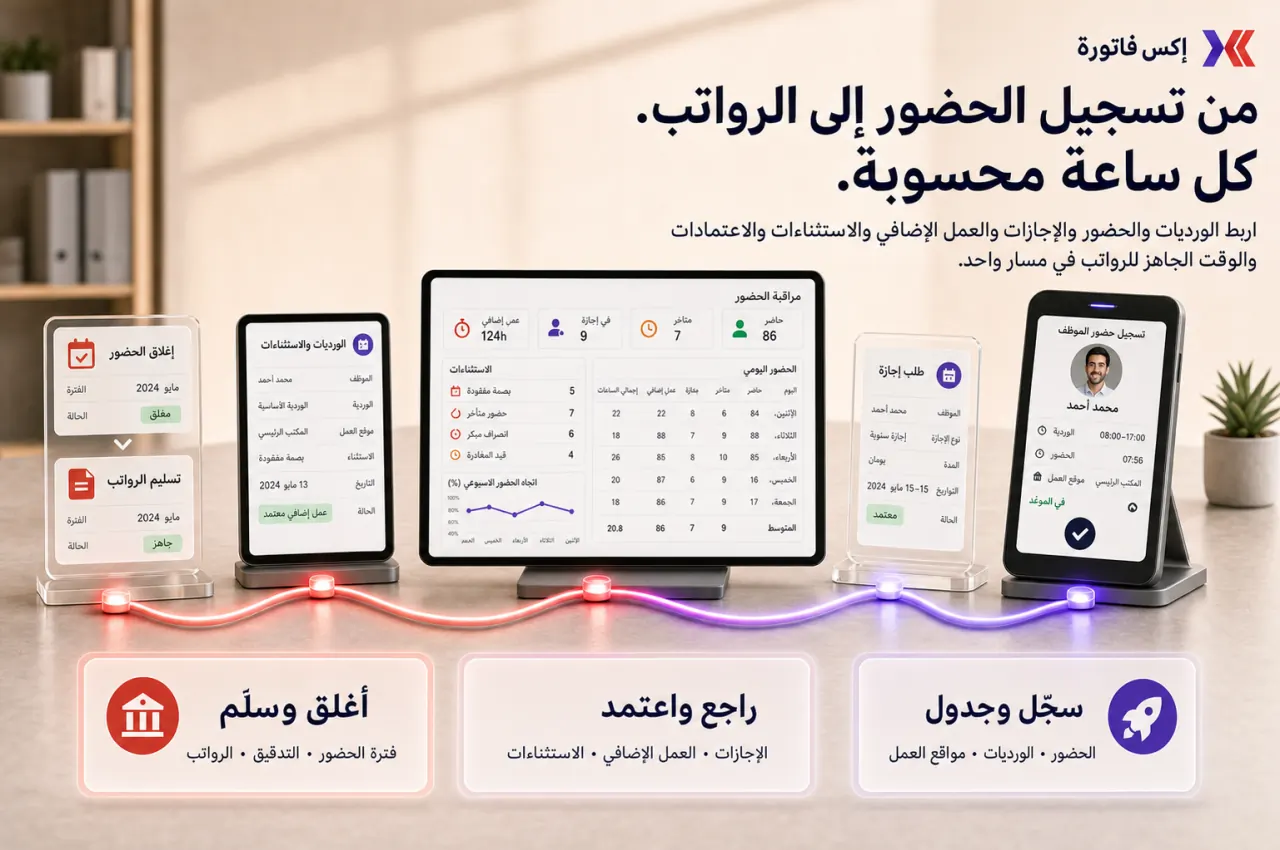
Time & Attendance is the operational execution layer for attendance, annual leave, shift schedules, and check-in/check-out control. It helps HR operations and managers enforce approval process discipline, monitor lateness and early leave, and close attendance periods before payroll review.

What this module helps you control

Attendance capture by day, employee, and workplace
Check-in/check-out logs and attendance history
Annual leave, leave type, and leave cycle control
Approval process for leave and additional work hours
Shift categories and work shift table governance
Workplace allocation and attendance by coordinates rules
Route-based attendance for field teams
QR Code, IP rules, and timeclock integration options
Attendance closing and reopening discipline
Operational reports by employee, department, workplace, and exceptions

Business outcomes teams expect

Improve attendance visibility daily with clean check-in/out records by staff and shift.
Reduce disputes about worked hours using timestamped check-in/out logs and attendance history.
Handle annual leave requests and approvals with clearer balances and ownership.
Strengthen shift discipline through shift categories and work shift table allocation.
Track lateness and early leave exceptions before they become monthly surprises.
Control field and location-based attendance using workplace coordinates and route rules.
Apply a controlled approval process for additional work hours before period close.
Run a cleaner month-end attendance close before payroll review starts.
Give managers stronger exception reporting by department, workplace, and policy type.
Reduce spreadsheet-based attendance administration across operations and HR teams.

What teams use most in this module

Practical capabilities that make day-to-day execution faster, cleaner, and easier to govern.

Attendance Capture and Check-in/Check-out

Capture attendance with clear check-in and check out events, then maintain traceable check-in/out logs for operational review and dispute resolution.

Attendance check-in and check out by configured method
Checked in at / checked out at timestamps per employee
Check-in/out logs for daily operational visibility
Attendance history by staff and day
Exception monitoring for missed or incomplete records

Leave Management and Annual Leave

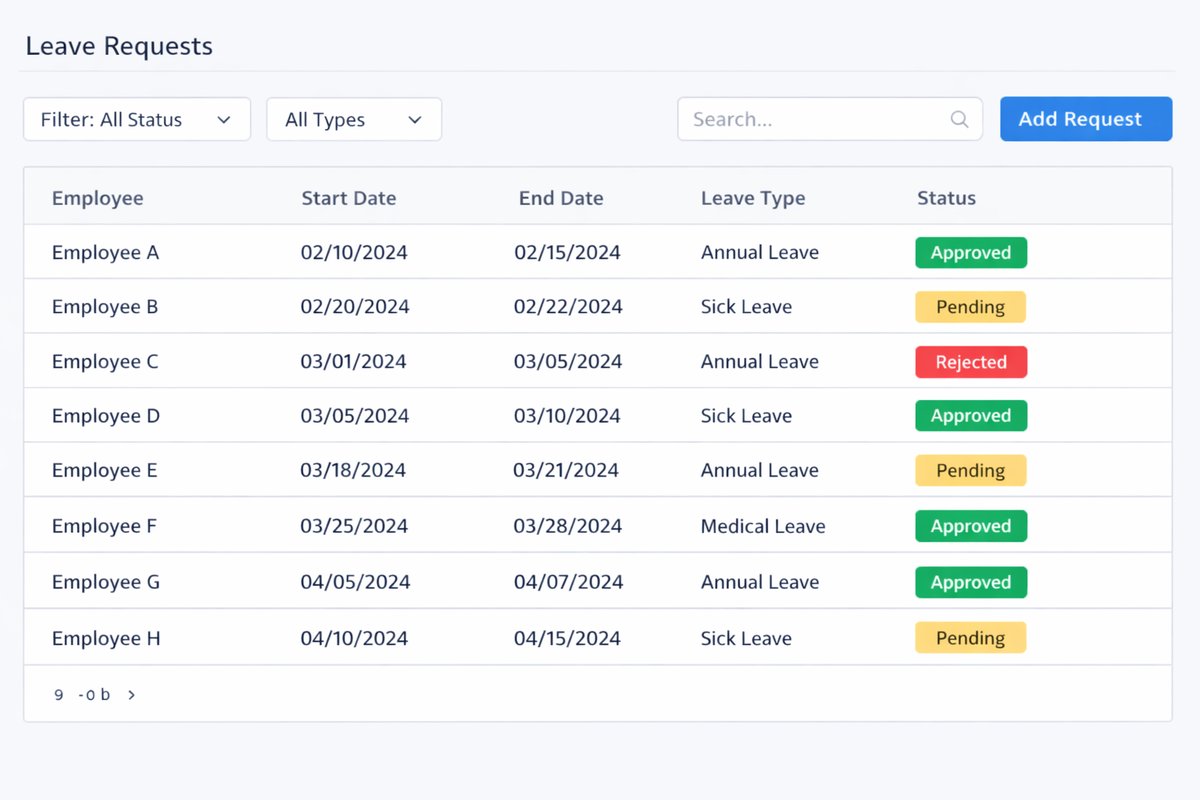
Manage annual leave with leave application workflows, leave type governance, and controlled balance tracking across cycle rules.

Annual leave setup and leave type definitions
Leave application with reason for time off
Remaining leave days visibility by employee
Leave cycle rules and maximum leave limits
Approval deadline governance for leave requests

Approval Process

Apply a formal approval process with controlled approver ownership for leave and additional work hours.

Approver routing to manager, head of department, direct manager, or specific personnel
Pending / approved / rejected request flow
Approval notifications and reminders
Controlled request ownership and audit trail
Escalation visibility for overdue approvals

Shift Categories and Work Shift Table

Define shift categories and standard work shift table structures for consistent shift execution across teams.

Shift code and shift name definitions
Shift start/end time with lunch break setup
Work shift table templates for standard workdays
Shift schedule allocation by employee or group
Controlled expected working window by policy

Additional Work Hours / Overtime

Control additional work hours requests and approvals so overtime values are reviewed before payroll handoff.

Additional work hours and overtime request capture
Approval process for extra hours by owner
Total approved work hours by employee and period
Month-end review before payroll consumption
Controlled exception handling for disputed entries

Workplace-Based Attendance Rules

Enforce workplace attendance policy through workplace allocation, coordinates, and radius-based validation.

Workplace definition with workplace address
Workplace allocation by employee or team
Radius and coordinates rule configuration
Attendance by coordinates control for valid check-ins
Default workplace rules to prevent attendance from wrong location

Route and Field Attendance

Support route-based attendance for field operations where teams move across route points or customer sites.

Work routes and route points planning
Route-based attendance progression by team
Field teams and customer-site attendance use cases
Check-in/out progress according to route status
Operational proof for site or customer visits

QR, IP, and Timeclock Options

Use deployment-specific attendance capture options such as QR Code scanning, IP allowlisting, and timeclock integration.

QR Code and Scan QR Code attendance modes
IP allowlisting for office-based check-in controls
timeclock integration where deployed
Manual vs imported timesheets support
Capture flexibility by operational environment

Attendance Closing and Reopening

Run attendance closing and controlled reopening as a period governance process before downstream payroll review.

Close attendance by payroll period or cutoff
Reopen attendance only through policy-based exception path
Exception handling before closure and final sign-off
Period discipline to limit late edits
Payroll-readiness finalization control

Reports and Exception Monitoring

Monitor attendance, leave, and shift performance through operational reports and exception-focused reviews.

Late arrivals and early leave analysis
Attendance report and annual leave report
Working hours statistics and leave by department
Ratio of check-in/out by workplace
Additional work hours review for month-end

Leave Types, Rules, and Norms

Configure type of leave policy with symbols, cycle rules, and leave norms that align with annual leave governance.

Type of leave configuration and leave symbols
Maximum leave and repeat/cycle controls
Leave norms by policy group
Borrowed leave handling where policy allows
Accumulated leave logic where enabled

Start with this workflow

Follow these structured steps to launch one controlled process first, then expand.

Configure leave and attendance rules

1

Define leave types

2

Define annual leave cycle and limits

3

Set approval paths

4

Configure shift categories and schedules

5

Configure workplace or route rules if used

6

Validate attendance policy before go-live

Daily attendance and check-in/out

1

Employee checks in

2

Attendance is recorded by the configured method

3

Employee checks out

4

Manager or admin reviews anomalies

5

Log is preserved for reporting

Leave request and approval

1

Employee submits leave request

2

Selects leave type and date range

3

Adds reason and attachments if needed

4

Approver reviews

5

Request is approved/rejected

6

Balance and records update

Shift allocation and attendance review

1

Assign shift category or work shift table

2

Confirm expected working window

3

Review check-in/out against shift

4

Flag lateness or early departure

5

Correct exceptions where policy allows

Additional work hours approval

1

Create additional work hours request

2

Link to employee and date/time

3

Approve or reject

4

Include approved hours in period review

5

Prepare for payroll handoff

Month-end attendance close

1

Review attendance exceptions

2

Review leave approvals

3

Review overtime/additional hours

4

Close attendance for the period

5

Export or hand off finalized values to payroll review

6

Reopen only by exception if policy allows

Who this module is for

Attendance Officer / HR Operations
Team Managers / Approvers
Payroll Liaison
Field Operations Supervisors
Employees using self-service leave and attendance workflows
Compliance or audit reviewers

Common problems this module helps solve

Manual attendance tracking across spreadsheets and messaging threads
Unclear leave balances and delayed approvals
Poor shift compliance and inconsistent shift execution
Missing check-in/out evidence for disputes
Weak field-attendance control by location or route
Late and early-leave exceptions going unnoticed
Additional work hours submitted without approval
Payroll review started with unfinalized attendance data

Where teams apply this module

Central attendance operations for office and site teams
Annual leave governance with controlled manager approvals
Shift-driven businesses requiring work shift tables
Field operations requiring route and workplace attendance proof
Month-end attendance closing before payroll handoff

Connected records across modules

People Records supplies employee, manager, workplace, and department context
Payroll consumes finalized attendance, leave, and approved additional work hours as downstream inputs
Projects can use attendance context when teams align work windows to delivery operations
Data Exporter supports attendance and leave audit packs for external review

Built-in Reports & Analytics

Attendance report
Annual leave report
Leave by department
Working hours statistics
Late arrival report
Early leave report
Check-in/out progress by employee and route
Workplace attendance ratio
Additional work hours review
Attendance close evidence packs

Compliance & Implementation Resources

Practical guides to help you rollout and validate workflows.

FAQ

Can we manage attendance and leave in one module?

Yes. Time & Attendance combines attendance tracking, annual leave workflows, shift management, and approval process controls in one operational module.

Can employees apply for leave and managers approve it?

Yes. Employees can submit leave application requests, and approvers can process pending requests through approved/rejected flow with notifications.

Can we define shifts and work shift tables?

Yes. You can define shift categories and work shift table structures with shift code, shift name, start/end time, and lunch break rules.

Can we track lateness and early leave?

Yes. Attendance logs and shift comparison allow managers to monitor late arrivals, early departures, and other attendance exceptions.

Can we restrict attendance by workplace coordinates or route?

Yes. Teams can use workplace coordinates, radius rules, and route-based attendance controls for field and site operations.

Can we approve additional work hours before payroll?

Yes. Additional work hours requests can go through approval process and month-end review before values are handed off for payroll review.

Can attendance be closed and reopened by policy?

Yes. Attendance can be closed for period discipline, and reopened only by approved exception process when policy allows.

How is this module different from Payroll?

Time & Attendance controls operational time, leave, shift, and attendance events. Payroll is the downstream gross-to-net salary processing and payslip release module.

How is this module different from People Records?

People Records manages employee master data and reporting structure. Time & Attendance manages day-to-day attendance, leave, shifts, and period close workflows.

What should be finalized before attendance is handed to payroll?

Finalize attendance exceptions, leave approvals, approved additional work hours, and period close status before payroll review begins.

Plans that include this module

Confirm commercial fit before rollout planning.

Business Plan
Enterprise Plan

Ready to evaluate Time & Attendance with your team?

We will map this module to your current process, owners, controls, and rollout timeline.

User guide

How to use Time & Attendance

Setup checklist, key workflows, reports, and troubleshooting.

Talk to our solution team

Tell us what you need and we will reply with a rollout plan and recommended modules.

Fields marked with * are required.

Related content

Related Modules

Often fits plan: Enterprise

Accounting

Central financial control with chart of accounts, journal entries, receivables, payables, reconciliation, and financial reporting.

Often fits plan: Enterprise

AI Sales Assistant

AI-assisted calling and qualification workflows for inbound and outbound conversations.

Often fits plan: Enterprise

Asset Management

Control asset records, custody, locations, maintenance, audits, and depreciation from one lifecycle workspace.

Related Use Cases

Accelerate Order to Cash

Connect sales, fulfillment, invoicing, and collections to reduce revenue leakage and improve cash conversion.

order-to-cash revenue-operations cash-flow

Control Production Costs

Tie material usage, labor capture, and overhead allocation to each production order for reliable margins.

manufacturing-management costing inventory-warehousing

Related Industries

ERP for Manufacturing

Manufacturing ERP guidance for production scheduling, material planning, quality control, and real-time shop floor visibility.

manufacturing production inventory

ERP for Clinics and Outpatient Networks

Sector playbook covering pain points, workflows, module fit, and buying checklist for erp for clinics and outpatient networks.

industry operations erp

Related Guides

Build ZATCA audit trail controls for SMB finance teams

Practical guide for build zatca audit trail controls for smb finance teams with execution steps and buying support links.

zatca saudi compliance

ERP Implementation Playbook

A practical, phased guide to planning, launching, and scaling ERP adoption across teams with measurable outcomes.

implementation operations change-management