 وحدة CRM والمبيعات في ERP
المتابعات تضيع بعد أول تواصل
العملاء المحتملون ينتقلون بين رسائل وملاحظات بدون مالك واضح أو موعد متابعة.
فحص قبل العرض: حضّر مثالًا لفرصة ضاعت بسبب تأخر أو نسيان متابعة.
وحدة CRM والمبيعات في ERP
إكس فاتورة يساعد فرق المبيعات والمالية على إدارة العملاء المحتملين والعملاء والعروض والتقديرات والفواتير والمدفوعات والعقود من سجل واحد واضح.
ابدأ بعميل واحد ومسار بيع كامل، ثم وسّع التحكم عندما تصبح المتابعة والفوترة والتحصيل مستقرة.
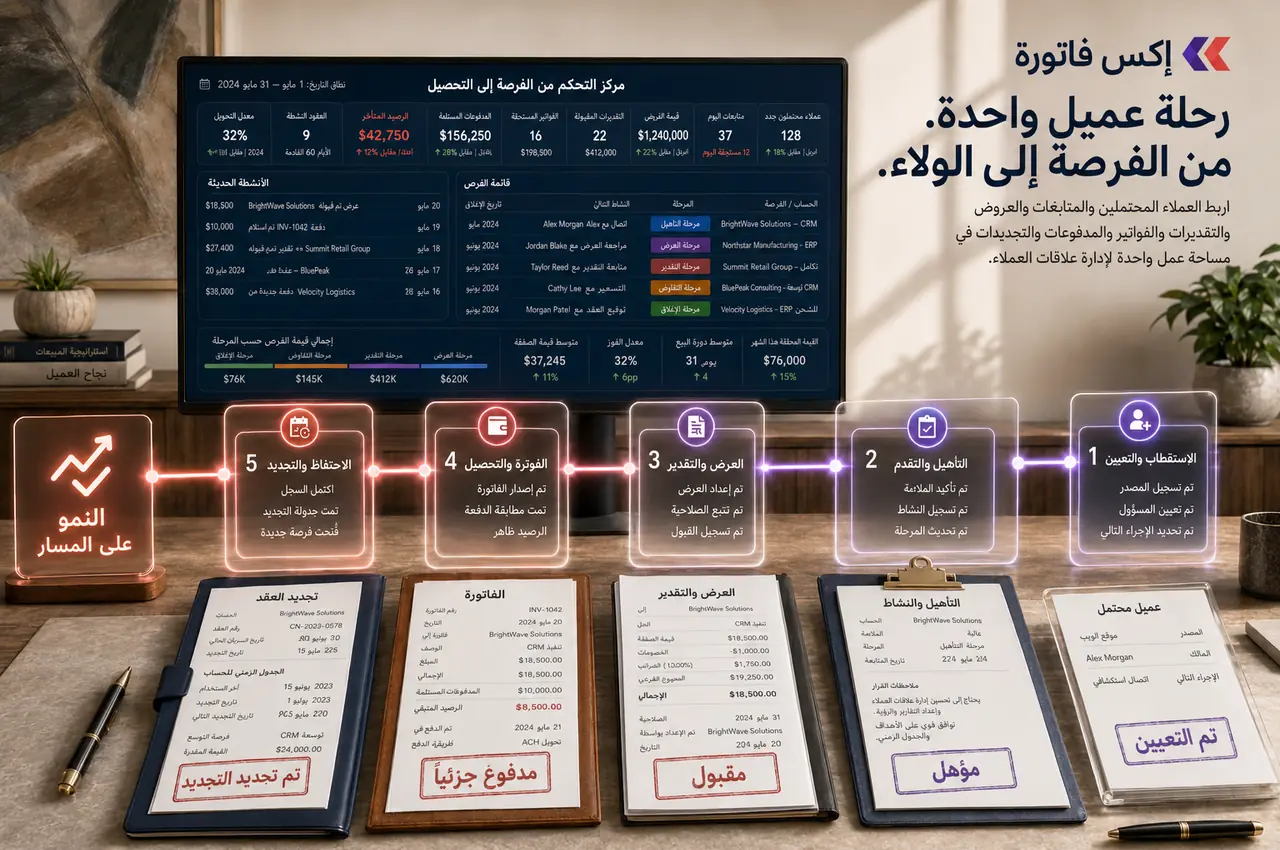
حرّك العملاء المحتملين والفرص والمتابعات وعروض الأسعار من مكان واحد منظم لفريق المبيعات.
متى تبدأ بـ CRM والمبيعات؟
هذه السيناريوهات تساعدك على معرفة هل CRM والمبيعات هي نقطة البداية المناسبة في تطبيق ERP.
العملاء المحتملون ينتقلون بين رسائل وملاحظات بدون مالك واضح أو موعد متابعة.
فحص قبل العرض: حضّر مثالًا لفرصة ضاعت بسبب تأخر أو نسيان متابعة.
المبيعات والمالية والدعم يرون أجزاء مختلفة من تاريخ العميل، فتتكرر الأسئلة وتضيع الصورة الكاملة.
فحص قبل العرض: اختر عميلًا له عروض وفواتير ومدفوعات وملاحظات متفرقة.
التقديرات والعروض والفواتير يتم تجهيزها يدويًا، ما يزيد أخطاء السعر والضريبة والحالة.
فحص قبل العرض: جهّز آخر تقدير أو عرض تم تحويله يدويًا إلى فاتورة.
الفواتير غير المدفوعة والمدفوعات الجزئية لا تظهر بوضوح لصاحب الحساب أو الإدارة.
فحص قبل العرض: راجع عميلًا لديه فاتورة متأخرة أو دفع جزئي.
نطاق التحكم التجاري
الهدف هو تحويل العلاقة التجارية إلى مسار واضح له مالك وحالة وسجل وفاتورة ومتابعة دفع.
عملاء محتملون بمصدر ومالك وحالة وموعد متابعة.
عملاء وجهات اتصال وسجل كامل للعلاقة.
مسار مبيعات يوضح المرحلة والمالك والفرص المتأخرة.
عروض وتقديرات بحالة وصلاحية ومراجعات واضحة.
تحويل التقدير المقبول إلى فاتورة مرتبطة بالعميل.
فواتير ومدفوعات ومدفوعات جزئية وأرصدة متأخرة.
عقود وملفات وتواريخ انتهاء وتجديد.
ربط المبيعات بالمالية وهيئة الزكاة والضريبة والجمارك والمشاريع والمخزون عند الحاجة.
شاشات المنتج
لقطات فعلية من النظام تساعد فريقك على تقييم السجلات والواجهات قبل العرض.
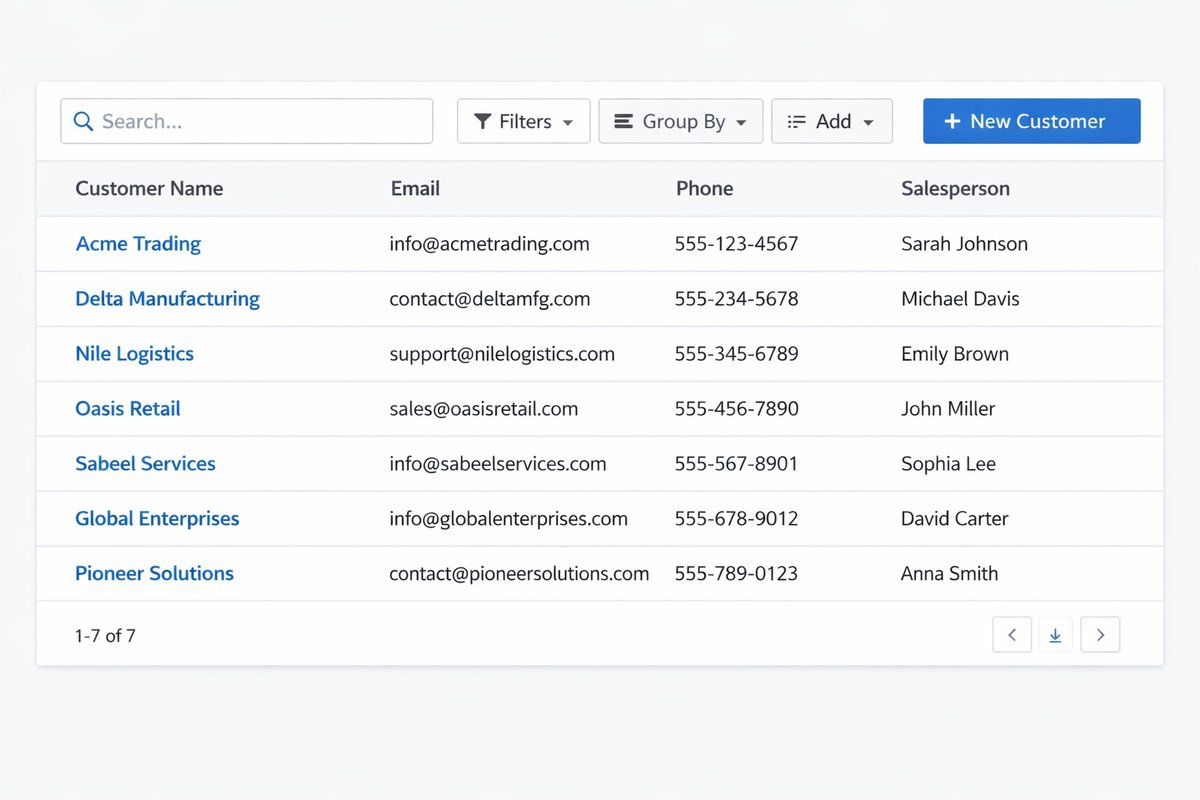
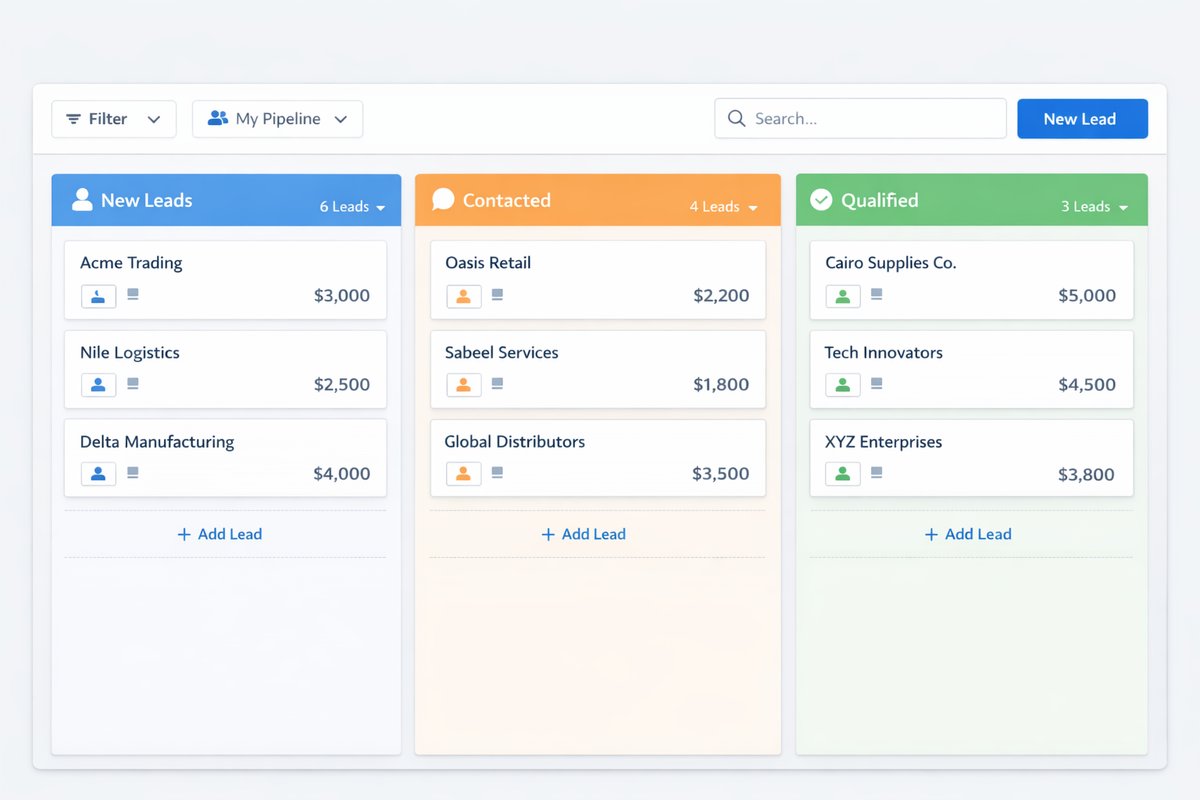
تسلسل التطبيق
أفضل بداية هي اختبار عميل واحد من أول تواصل حتى الفاتورة والتحصيل.
راجع العملاء وجهات الاتصال والتكرارات ومصادر العملاء المحتملين قبل التشغيل.
حدد من يملك كل عميل محتمل وكل فرصة وكل حساب بعد التحويل.
نفّذ عميلًا واحدًا من Lead إلى تقدير ثم فاتورة ثم متابعة دفع.
تأكد أن الفواتير والمدفوعات والأرصدة تظهر للفريقين بدون جداول منفصلة.
حدد الحسابات التي تحتاج متابعة انتهاء أو تجديد أو عقد متكرر.
نقاط التسليم
هذه أهم نقاط الربط التي يجب ضبطها حتى لا تضيع العلاقة التجارية بين الفرق.
العملاء المحتملون ← العملاء
التحويل يجب أن يحافظ على المصدر والمالك وسجل المتابعة بدون إعادة إدخال.
التقدير ← الفاتورة
التقدير المقبول يجب أن ينتقل إلى فاتورة بنفس بيانات العميل والبنود والضريبة.
الفاتورة ← المالية
حالة الدفع والمدفوعات الجزئية والمتأخرات يجب أن تظهر في التحصيل والتقارير.
الفاتورة ← هيئة الزكاة والضريبة والجمارك
بيانات العميل والضريبة والفاتورة يجب أن تكون جاهزة للفوترة الإلكترونية وQR وXML.
تقارير CRM والمبيعات
النجاح ليس في إدخال العملاء فقط، بل في رؤية التحويل والمتابعة والفوترة والتحصيل.
أداء مصادر العملاء المحتملين.
المسار حسب المرحلة والمالك.
الفرص المتأخرة أو بدون متابعة.
العروض والتقديرات حسب الحالة.
المبيعات حسب العميل أو الخدمة أو الفترة.
حالة الفواتير والمدفوعات.
الفواتير المتأخرة والمدفوعات الجزئية.
العقود التي تقترب من الانتهاء أو التجديد.
الفواتير والمدفوعات ومذكرات الائتمان والأرصدة المتأخرة يجب أن تظهر للمالية والمبيعات من نفس سجل العميل حتى لا يحدث تضارب في التحصيل أو التقارير.
نظافة بيانات العميل والفاتورة والضريبة تساعد على تقليل التصحيحات اليدوية قبل مراجعة QR وXML وأدلة الفوترة الإلكترونية.
نعم. الهدف أن ينتقل التقدير المقبول إلى فاتورة مرتبطة بالعميل والبنود والحالة بدل إعادة الإدخال.
جهّز عميلًا محتملًا، عميلًا حاليًا، عرضًا أو تقديرًا، فاتورة، حالة دفع أو تأخير، ومثال عقد أو تجديد.
إذا كانت المشكلة الأكبر في المتابعة والتحويل والفواتير، ابدأ بـ CRM والمبيعات. إذا كانت المشكلة في ثقة التقارير والإقفال، ابدأ بالمحاسبة واربط CRM مبكرًا.
شاركنا عميلًا محتملًا، عميلًا حاليًا، تقديرًا، فاتورة، حالة دفع، ومثال عقد أو تجديد. سنقترح نطاق البداية والباقات المناسبة.