 وحدة الفوترة والمدفوعات
الفاتورة تصدر لكن المتابعة تضيع
الفريق يعرف أن الفاتورة أُرسلت، لكن لا يعرف من يتابع الدفع، هل تم تحصيل جزء منها، أو لماذا تأخرت.
فحص قبل العرض: حضّر فاتورة متأخرة لا يعرف الفريق مالك متابعتها.
وحدة الفوترة والمدفوعات
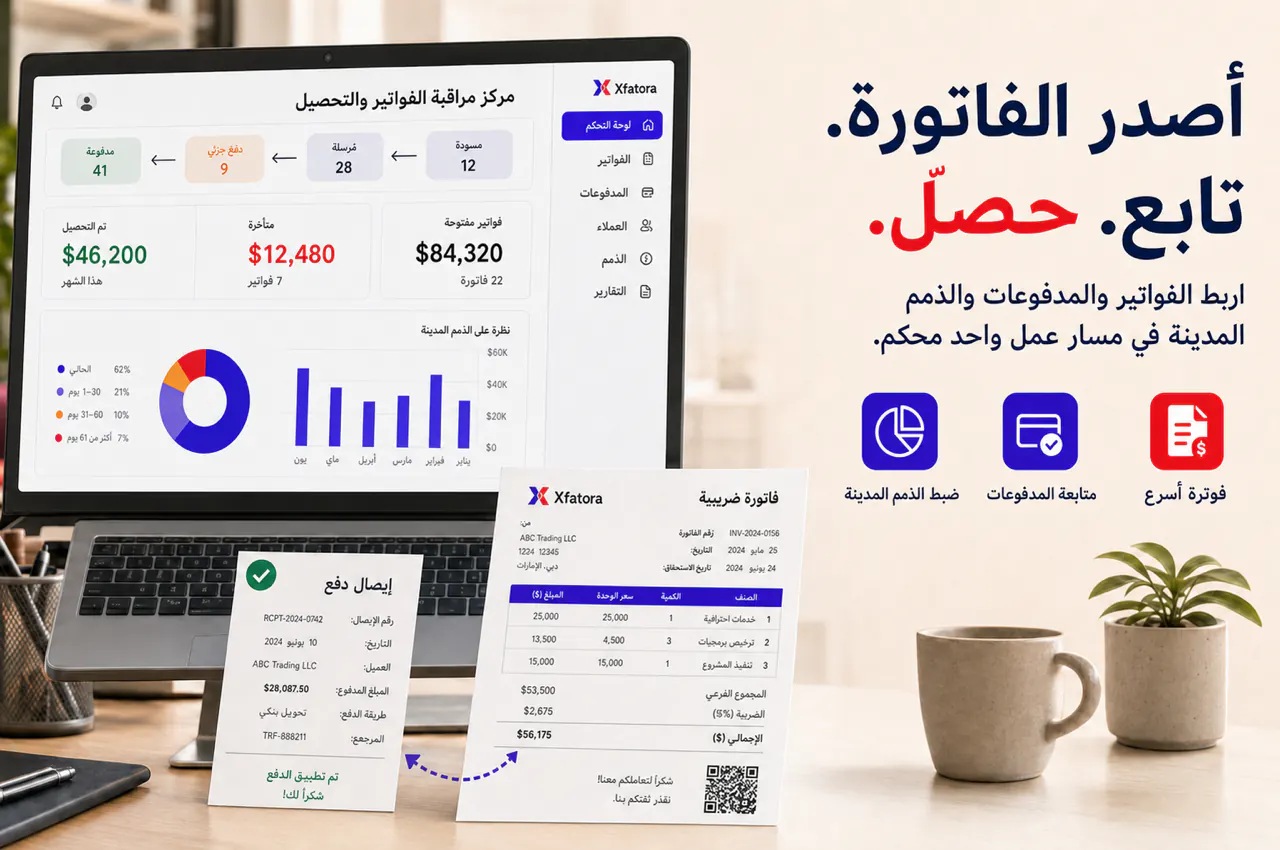
إكس فاتورة يساعد فرق المبيعات والمالية على تحويل التقديرات إلى فواتير، متابعة الدفعات الجزئية والمتأخرات، وإبقاء الذمم والإشعارات الدائنة واضحة قبل الإقفال.
أفضل بداية: فاتورة حقيقية، دفعة جزئية، فاتورة متأخرة، وإشعار دائن.
متى تحتاجها؟
هذه العلامات تكشف هل المشكلة في إصدار الفاتورة أو متابعة الدفع أو الذمم أو التصحيحات.
الفريق يعرف أن الفاتورة أُرسلت، لكن لا يعرف من يتابع الدفع، هل تم تحصيل جزء منها، أو لماذا تأخرت.
فحص قبل العرض: حضّر فاتورة متأخرة لا يعرف الفريق مالك متابعتها.
المبيعات تتابع العميل من جهة، والمالية تراجع الذمم من جهة أخرى، فتظهر أرقام مختلفة لنفس الرصيد.
فحص قبل العرض: اختر عميلًا تختلف حالته بين الفريقين.
يتم تسجيل جزء من المبلغ، لكن الرصيد المتبقي والمتابعة التالية لا تظهر بوضوح للفريق المسؤول.
فحص قبل العرض: حضّر مثال دفعة جزئية مع رصيد مفتوح.
يتم عمل خصم أو تصحيح دون ربط واضح بالفاتورة الأصلية أو سبب التعديل أو أثره على التحصيل.
فحص قبل العرض: حضّر إشعارًا دائنًا أو تعديلًا مرتبطًا بفاتورة.
نطاق التحكم
الهدف أن تكون الفاتورة حالة تشغيلية قابلة للمتابعة، لا مجرد مستند PDF.
بيانات العميل والفوترة والرقم الضريبي وشروط الدفع.
تحويل التقدير أو العرض المقبول إلى فاتورة.
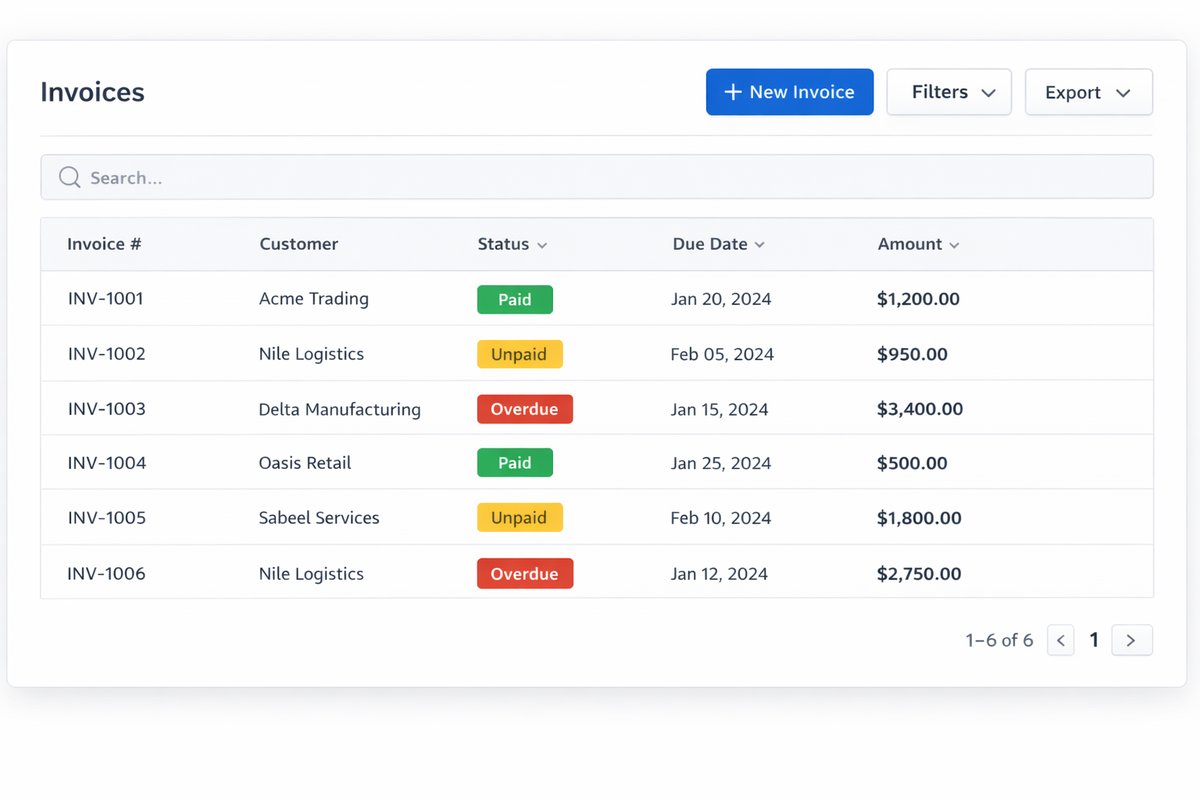
حالة الفاتورة: مسودة، مصدرة، مرسلة، مدفوعة جزئيًا، مدفوعة، متأخرة، متنازع عليها، أو معدلة.
تسجيل المدفوعات الكاملة والجزئية وطرق الدفع.
الإشعارات الدائنة والمدينة والتصحيحات التجارية.
أعمار الذمم المدينة والفواتير المتأخرة.
ربط الفواتير بالمحاسبة والتقارير ومتطلبات الفوترة الإلكترونية حسب السوق.
حزم التصدير للتحصيل والمراجعة الشهرية.
شاشات المنتج
لقطات فعلية من النظام تساعد فريقك على تقييم السجلات والواجهات قبل العرض.
تسلسل التطبيق
ابدأ من فاتورة حقيقية، ثم ثبّت الحالة والمالك، ثم اربط المتابعة بالمحاسبة والتقارير ومتطلبات الفوترة الإلكترونية في سوقك.
راجع عميلًا، تقديرًا مقبولًا، فاتورة، دفعة جزئية، فاتورة متأخرة، وإشعارًا دائنًا.
حدد متى تكون الفاتورة مرسلة أو مدفوعة جزئيًا أو متأخرة أو متنازعًا عليها.
حدد هل يتابع التحصيل فريق المالية أم المبيعات أم صاحب الحساب.
تأكد أن بيانات الفاتورة والتعديلات جاهزة للمراجعة المالية ومتطلبات السوق عند الحاجة.
اجعل الفواتير المتأخرة والدفعات الجزئية والإشعارات الدائنة جزءًا من اجتماع دوري.
نقاط الربط
كل رقم في الذمم أو التدفق النقدي يبدأ من حالة فاتورة وسياق عميل واضحين.
CRM ← الفوترة
بيانات العميل والتقدير والعقد والسياق التجاري يجب أن تنتقل إلى الفاتورة دون فقدان.
الفوترة ← المحاسبة
الفواتير والمدفوعات والإشعارات الدائنة تغذي الذمم والتحصيل والإقفال.
الفوترة ← المتطلبات المحلية
بيانات البائع والعميل والضريبة والإشعارات الدائنة تحتاج جاهزية قبل إنشاء ملفات التبادل أو التقارير المطلوبة.
الفوترة ← التقارير
حالة الفواتير والمدفوعات والمتأخرات تؤثر على حزمة الإدارة والتدفق النقدي.
تقارير ومراجعة
المراجعة الأسبوعية تقلل المفاجآت في الذمم والتقارير المالية.
الفواتير حسب الحالة.
التقديرات المقبولة غير المفوترة.
الفواتير المدفوعة وغير المدفوعة والمدفوعة جزئيًا.
الفواتير المتأخرة.
أعمار الذمم المدينة.
أرصدة العملاء.
الإشعارات الدائنة والتصحيحات.
حزمة تحصيل وتصدير شهرية.
لا يجب فصلها. CRM يعطي سياق العميل والتقدير والعقد، والفوترة تضبط حالة الفاتورة والدفع والرصيد والمتابعة.
نعم، لكن يجب تحديد قواعد تسليم واضحة للمالية حتى تظل الأرصدة والمدفوعات والإشعارات الدائنة موثوقة.
راجع التقديرات المقبولة غير المفوترة، الفواتير المتأخرة، الدفعات الجزئية، الفواتير المتنازع عليها، والإشعارات الدائنة.
تجعل حالة الفاتورة والدفعات والرصيد المتبقي ومالك المتابعة مرئية في مكان واحد.
جودة بيانات الفاتورة والعميل والضريبة والإشعارات الدائنة تؤثر على جاهزية الفوترة الإلكترونية في كل سوق، لذلك يجب ضبطها مبكرًا.
شاركنا تقديرًا مقبولًا، فاتورة، دفعة جزئية، فاتورة متأخرة، وإشعارًا دائنًا. سنراجع أين تتعطل المتابعة وما نطاق البداية المناسب.