Standard financial report definitions for P&L, balance sheet, trial balance, general ledger, receivables, payables, cash, revenue, expenses, and close status
 Module
Financial reporting software, management reports, dashboards, and month-end ERP reporting
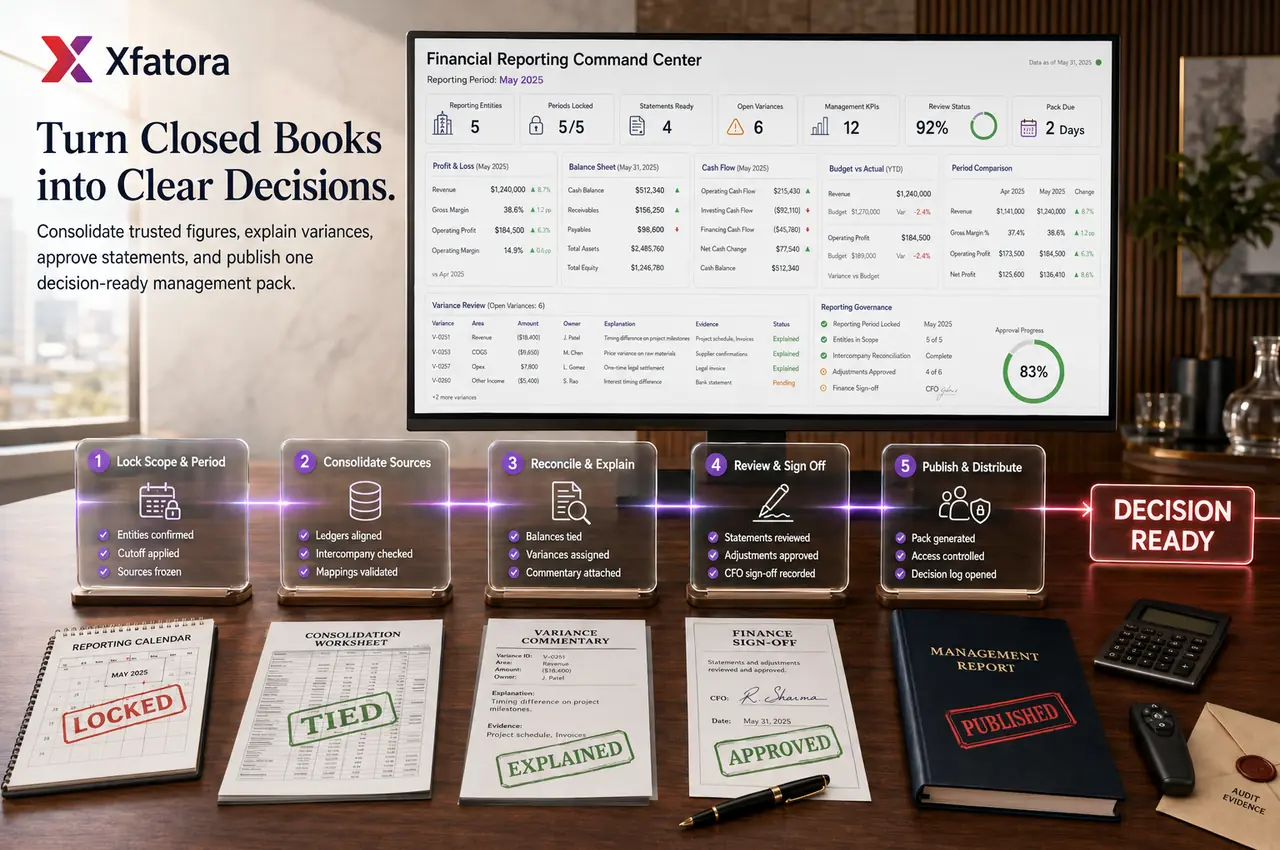
Turn accounting, CRM, inventory, procurement, ZATCA, expenses, and exports into trusted reports leadership can actually use.
Xfatora Financial Reporting helps finance and leadership teams define report ownership, stabilize management packs, validate P&L, balance sheet, trial balance, receivables, payables, cash, and close status, and reduce manual spreadsheet rebuilding.

Approved app available now
Take Accounting to the frontline.
Keep accounts, journals, balances, receivables, payables, and financial reporting connected to XFatora data and role permissions.
What this module helps you control
Report ownership by finance, operations, sales, inventory, procurement, HR, and leadership users
Reporting dimensions such as account, branch, department, project, cost center, customer, supplier, warehouse, and period
Month-end reporting cadence, publication rules, cutoff checks, exception queues, and management pack signoff
Source-to-report traceability from invoices, payments, journals, expenses, stock movements, purchase orders, payroll inputs, and ZATCA evidence
Export-ready management packs, audit datasets, reconciliation extracts, and board-review evidence
Operational and financial reporting separation so dashboards do not replace formal report definitions
Recurring review rhythm for weekly operations dashboards and monthly finance reports
Business outcomes teams expect
Reduce manual spreadsheet rebuilding by aligning reports with controlled ERP source data.
Improve confidence in management reports when departments disagree about revenue, cash, inventory, expenses, or receivables.
Make month-end reporting easier by defining owners, dimensions, cutoff rules, and review cadence before dashboards go live.
Give leadership better visibility into P&L, balance sheet, trial balance, general ledger, receivables, payables, cash, and close status.
Connect financial reporting with Accounting, CRM, Inventory, Procurement, Expenses, ZATCA, and Data Exporter.
Help finance explain numbers with source context instead of disconnected report screenshots.
Support audit-ready reporting packs with exports, evidence, source links, and review history.
Prevent dashboards from becoming untrusted by documenting formulas, filters, owners, and report definitions.
Screenshots
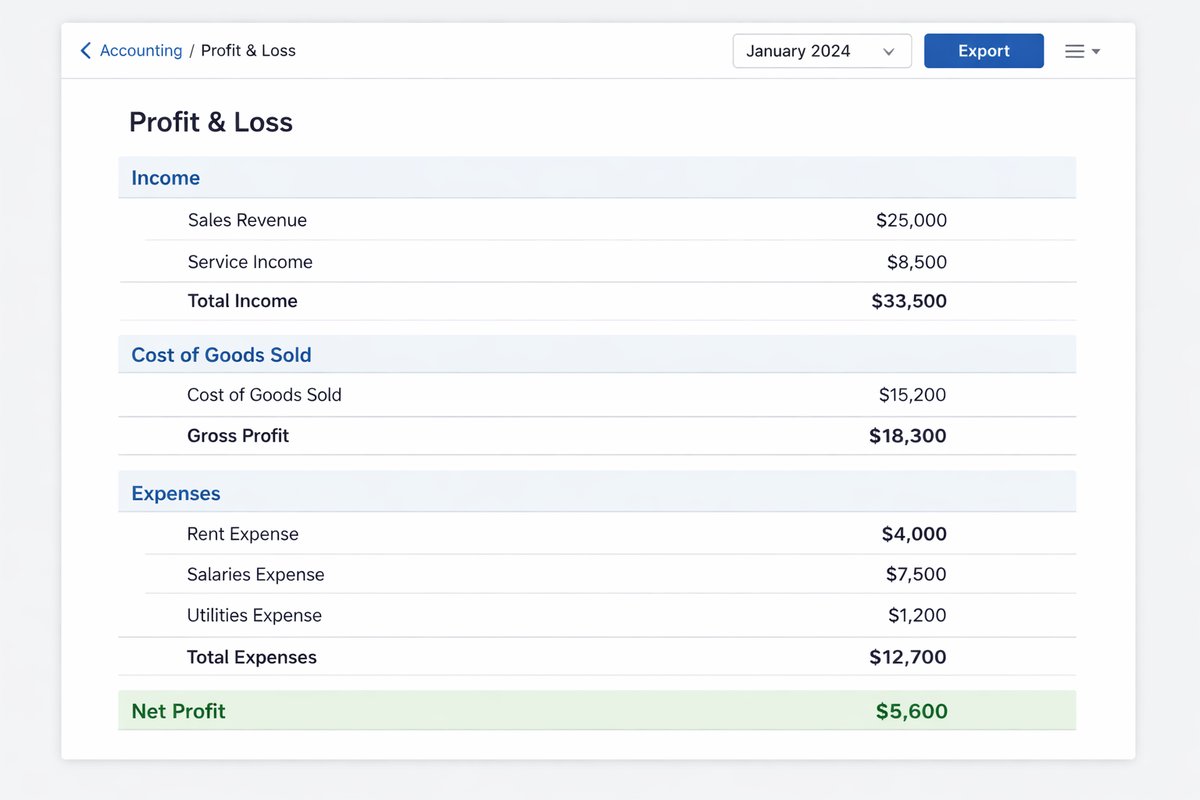
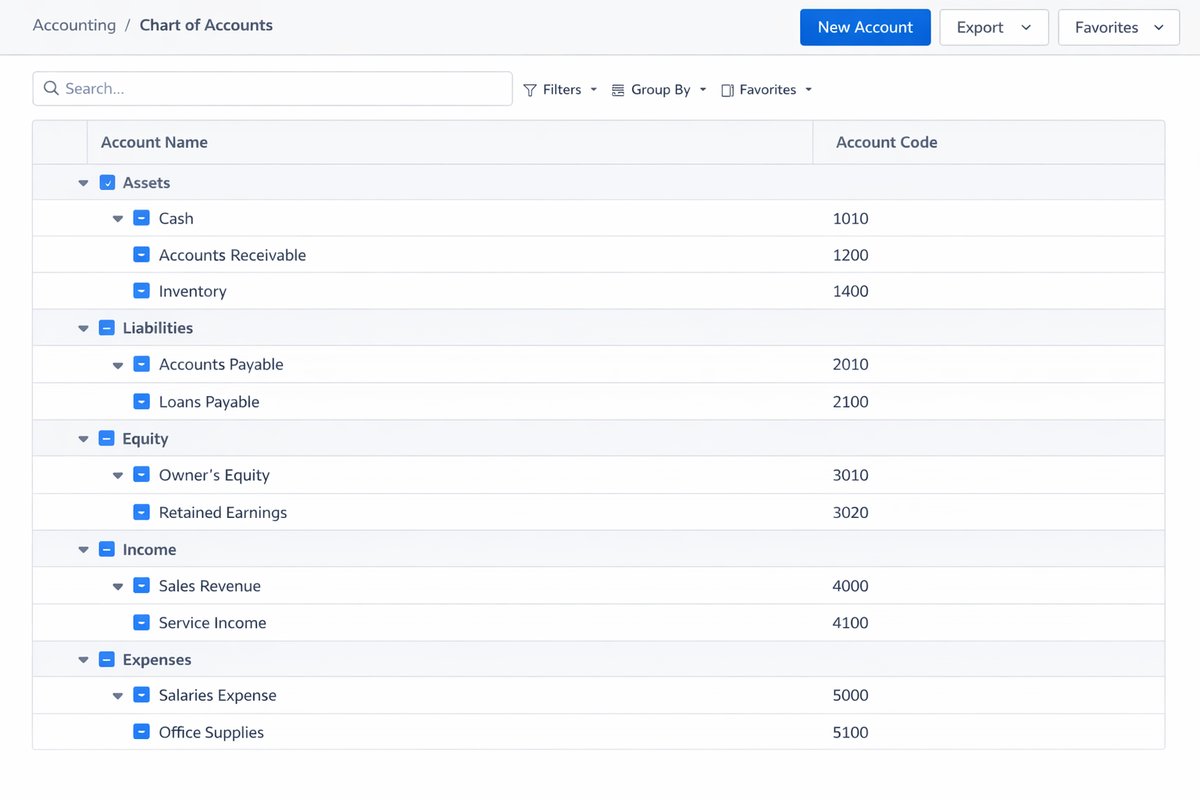
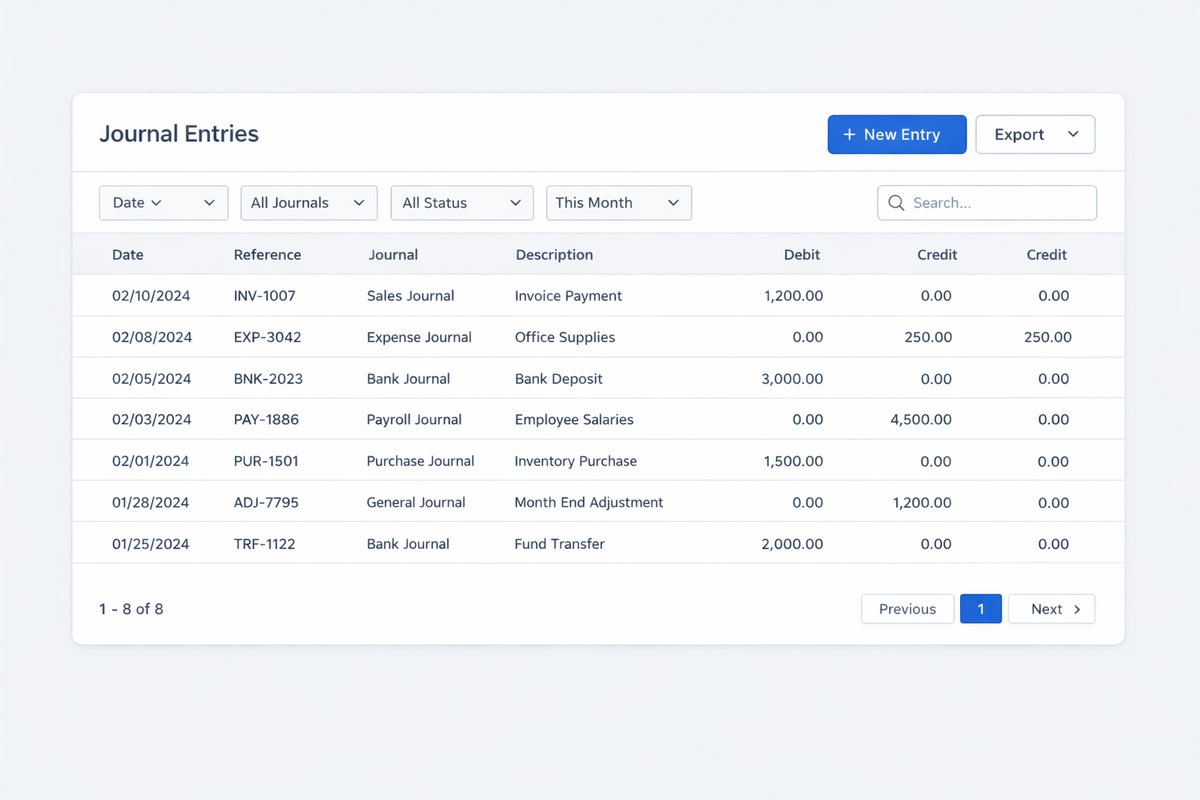
Real screens from the platform.
What teams use most in this module
Practical capabilities that make day-to-day execution faster, cleaner, and easier to govern.
Report Definition Governance
Define the reports leadership relies on before dashboards become the source of truth.
Approved report catalogue
P&L, balance sheet, trial balance, and general ledger definitions
Receivable, payable, cash, revenue, and expense views
Formula and filter documentation
Report owner and reviewer assignment
Management Packs
Create recurring review packs that finance can publish with consistent structure and ownership.
Monthly finance review packs
Leadership reporting cadence
Close status and exception notes
Supporting schedules and drilldown context
Export-ready board or management datasets
Month-End Reporting Readiness
Connect reporting to close routines so finance is not rebuilding numbers after period-end.
Cutoff and publication rules
Trial balance review
Receivable and payable validation
Expense and inventory impact review
Late-entry exception visibility
Cash Flow and Working Capital Visibility
Track receivables, payables, cash exposure, collection pressure, and supplier commitments.
Receivables exposure and aging
Payables and supplier commitments
Cash position indicators
Collection and payment follow-up context
Working-capital review inputs
Reporting Dimensions
Use dimensions to explain performance by branch, department, project, cost center, customer, supplier, or warehouse.
Branch and legal entity reporting
Department and cost-center views
Project and service reporting
Customer and supplier analysis
Warehouse and inventory financial impact
Dashboard Discipline
Separate operational dashboards from formal financial reports while still aligning them in management meetings.
Weekly operational review rhythm
Monthly financial statement rhythm
KPI ownership by team
Exception-driven review meetings
No dashboard without a trusted definition
Audit-Ready Exports
Prepare controlled export packs for auditors, management, board review, and reconciliation.
CSV and spreadsheet-ready datasets
Audit and reconciliation extracts
Management pack attachments
Period-based export windows
Access and storage governance
Cross-Module Reporting Handoffs
Keep reporting connected to the workflows that create the numbers.
Accounting journals and balances
CRM invoices, payments, and credit notes
Inventory value and movement impact
Procurement commitments and supplier bills
ZATCA and e-invoicing evidence
Start with this workflow
Follow these structured steps to launch one controlled process first, then expand.
Financial reporting rollout readiness
1
Bring the current management pack, P&L, receivables report, payables report, cash view, close status report, and one report that leadership does not trust
2
Define the first reports that must be live in phase one
3
Confirm report owners, reviewers, publication cadence, and cutoff rules
4
Map each report to source workflows and data owners
5
Document formulas, filters, dimensions, and export needs before go-live
Define a trusted report catalogue
1
List reports leadership uses every month
2
Group reports into financial statements, working capital, operational inputs, and management pack sections
3
Assign owner and reviewer for each report
4
Define filters, dimensions, and formulas
5
Approve phase-one report scope
Prepare month-end reporting
1
Confirm close calendar and cutoff rules
2
Validate trial balance, receivables, payables, revenue, expense, and cash reports
3
Identify late transactions and open exceptions
4
Publish management pack draft
5
Review adjustments and finalize the pack
Review source-to-report accuracy
1
Select a report line or KPI
2
Trace it to invoices, payments, journals, expenses, stock, purchase, payroll, or ZATCA evidence
3
Confirm owner of the source data
4
Correct missing or inconsistent records
5
Re-run report and archive review notes
Export an audit or management pack
1
Choose reporting period and report set
2
Export structured datasets
3
Attach supporting evidence where needed
4
Share pack with approved recipients
5
Store review and signoff history
Run weekly dashboard and monthly finance rhythm
1
Use weekly dashboards for operational exceptions
2
Use monthly financial reports for formal finance review
3
Align actions in management meetings
4
Assign owners for variances and blockers
5
Review recurring issues before the next close
Who this module is for
Finance leaders
Controllers and accountants
CEOs and general managers
Operations managers
BI and reporting teams
Branch managers
Internal audit and review teams
Implementation teams preparing reporting scope
Common problems this module helps solve
Leadership reports are rebuilt manually every month
Finance and operations use different numbers for the same question
Reports are published without documented formulas, filters, or owners
Dashboards are launched before financial report definitions are trusted
Month-end reporting depends on late corrections and spreadsheet cleanup
Receivables, payables, cash, inventory, and expenses do not reconcile cleanly
Branch, department, project, or cost-center reporting is unclear
Audit and management packs are recreated from scratch instead of exported from controlled data
Where teams apply this module
Finance teams rebuilding management reports manually every month
Companies where departments disagree on revenue, cash, receivables, expenses, inventory, or close status
Leadership teams that need trusted P&L, balance sheet, cash, receivables, payables, and KPI packs
Businesses preparing board packs, audit packs, or management review packs
Multi-branch companies that need reporting by branch, department, project, cost center, or warehouse
Teams that need Data Exporter, Accounting, CRM, Inventory, Procurement, Expenses, and ZATCA to feed consistent reporting
Connected records across modules

Accounting: chart of accounts, journals, receivables, payables, reconciliation, trial balance, general ledger, P&L, and balance sheet are the reporting foundation.

Data Exporter: controlled exports support audit packs, reconciliation, management packs, and external analysis.

CRM and Sales: invoices, payments, credit notes, contracts, revenue, and customer balances affect management reports.

Inventory and Warehouse: stock on hand, valuation, movement history, adjustments, and transfers affect financial visibility.
Procurement: purchase orders, supplier bills, commitments, and payables affect cash and expense reporting.

Expenses: approved expenses, reimbursements, categories, receipts, and cutoff issues feed close and management reporting.
ZATCA and E-Invoicing: invoice evidence, XML, QR, and tax readiness should remain connected to finance review.
Built-in Reports & Analytics
Profit and loss by period, branch, department, or cost center
Balance sheet and trial balance review
General ledger movement and account drilldown
Receivables, overdue balances, and collection exposure
Payables, supplier commitments, and payment pressure
Cash position and working capital review
Close status, late entries, exceptions, and adjustment review
Management pack and audit-ready export packs
Compliance & Implementation Resources
Practical guides to help you rollout and validate workflows.
Financial Reporting Implementation Checklist
Define report ownership, dimensions, close cadence, and recurring management packs.
Read guideReporting & Dashboards Guide
Coordinate finance and operations review rhythms using shared data context.
Read guideData Exporter Implementation Checklist
Prepare controlled export workflows for audit, BI, reconciliation, and management reporting.
Read guideFAQ
Is Financial Reporting separate from Accounting?
It should be treated as a reporting and governance layer connected to Accounting. Accounting creates the finance record; Financial Reporting defines how leadership reviews and trusts the numbers.
What should be implemented first?
Start with the reports leadership already uses: P&L, receivables, payables, cash, revenue, expenses, and close status.
Who owns report definitions?
Finance should own financial definitions. Operations, sales, inventory, HR, and procurement own the source data that affects those reports.
Should we build dashboards before report definitions?
No. Dashboards become trusted only after report definitions, filters, dimensions, and owners are agreed.
Can reports be exported for audit or board review?
Yes. Use controlled export packs when finance, auditors, leadership, or external reviewers need structured datasets and supporting evidence.
What should we prepare before a Financial Reporting demo?
Prepare your current management pack, P&L, receivables, payables, cash view, close calendar, and one report that leadership does not fully trust.
Plans that include this module
Confirm commercial fit before rollout planning.
Growth Plan
Enterprise Plan
Ready to evaluate Financial reporting software, management reports, dashboards, and month-end ERP reporting with your team?
We will map this module to your current process, owners, controls, and rollout timeline.
Talk to our solution team
Tell us what you need and we will reply with a rollout plan and recommended modules.
Fields marked with * are required.
Related content
Related Modules
AI Sales Assistant
Use AI-assisted calling and qualification workflows to improve first-contact consistency, lead follow-up, call summaries, and CRM handoff discipline.
Often fits plan: Field Service · Scale
Asset Management
Control asset records, custody, locations, maintenance, audits, depreciation, and lifecycle accountability from one controlled workspace.
Often fits plan: Field Service · Scale
Asset Management
Manage company assets, custody, locations, maintenance, audits, depreciation, and lifecycle accountability from one controlled workspace.
Related Use Cases
Accelerate Order to Cash
Connect sales, fulfillment, invoicing, and collections to reduce revenue leakage and improve cash conversion.
order-to-cash
revenue-operations
cash-flow
Control Production Costs
Tie material usage, labor capture, and overhead allocation to each production order for reliable margins.
manufacturing-management
costing
inventory-warehousing
Related Industries
ERP for Manufacturing Operations
Manufacturing ERP for production planning, MRP, inventory, quality, costing, and shop-floor control across growing factories.
manufacturing
mrp
production
ERP for Clinics and Outpatient Networks
Sector playbook covering pain points, workflows, module fit, and buying checklist for erp for clinics and outpatient networks.
industry
operations
erp
Related Guides
Build ZATCA audit trail controls for SMB finance teams
Practical guide for build zatca audit trail controls for smb finance teams with execution steps and buying support links.
zatca
saudi
compliance
ERP Implementation Playbook
A practical, phased guide to planning, launching, and scaling ERP adoption across teams with measurable outcomes.
implementation
operations
change-management