Chart of Accounts structure, account governance, and opening balance readiness
 Module
Accounting ERP software for finance control
Control journals, receivables, payables, reconciliation, budgets, financial statements, and audit-ready close routines in one finance workspace.
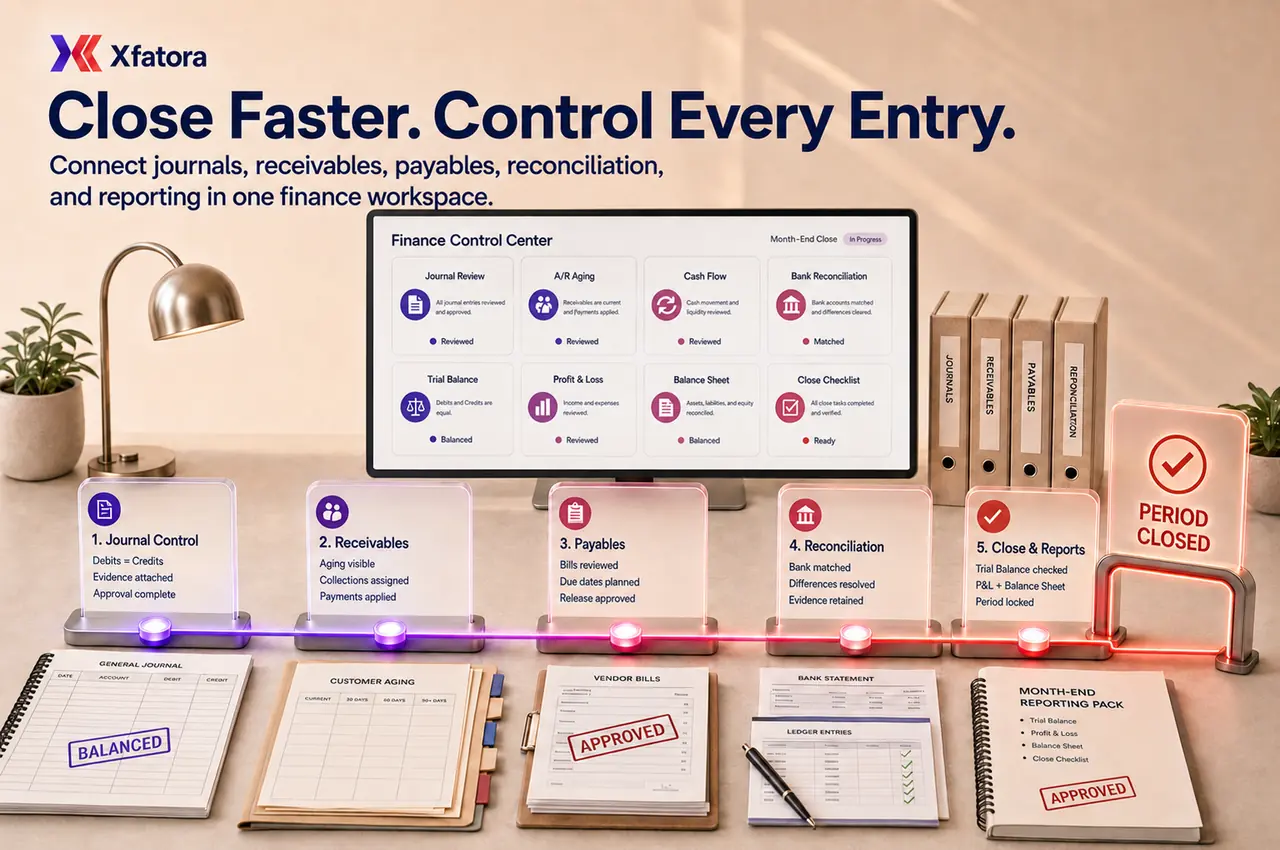
Xfatora Accounting gives finance teams a controlled ERP workspace for posting rules, month-end close, A/R, A/P, bank reconciliation, reporting, and operational finance handoffs.

Approved app available now
Take Accounting to the frontline.
Keep accounts, journals, balances, receivables, payables, and financial reporting connected to XFatora data and role permissions.
KSA Compliance
Saudi invoicing controls for this module
Map this module to your ZATCA rollout so finance, sales, and compliance teams share one controlled process.
What this module helps you control
Manual Journal Entry review, adjustment evidence, and debit/credit discipline
Accounts Receivable aging, collection ownership, and customer balance visibility
Accounts Payable aging, vendor obligation review, and payment planning
Bank and cash reconciliation routines with unresolved-difference follow-up
Financial periods, closing date policy, and controlled backdated-change rules
Budget setup, budget versus actual review, and management variance visibility
Financial statements, ledger reports, transaction detail, and Audit Log traceability
Tax, payment mode, item, expense, and module mapping controls before go-live
Business outcomes teams expect
Maintain one finance-controlled source of truth across ledgers, subledgers, and reports.
Connect operational records with accounting impact so finance and operations review the same numbers.
Improve visibility into Accounts Receivable and Accounts Payable before balances become risk.
Close periods faster with clearer month-end tasks, reconciliations, and review checkpoints.
Strengthen reconciliation discipline through structured bank and cash matching routines.
Improve quality of Journal Entry and adjustment review with better evidence and approval control.
Provide leadership and auditors with decision-ready statements, ledgers, and transaction detail.
Control bank and cash movement visibility in one place for better liquidity monitoring.
Track Budget versus actual performance to support corrective management action.
Keep a more reliable Audit Log for change traceability and governance.
Screenshots
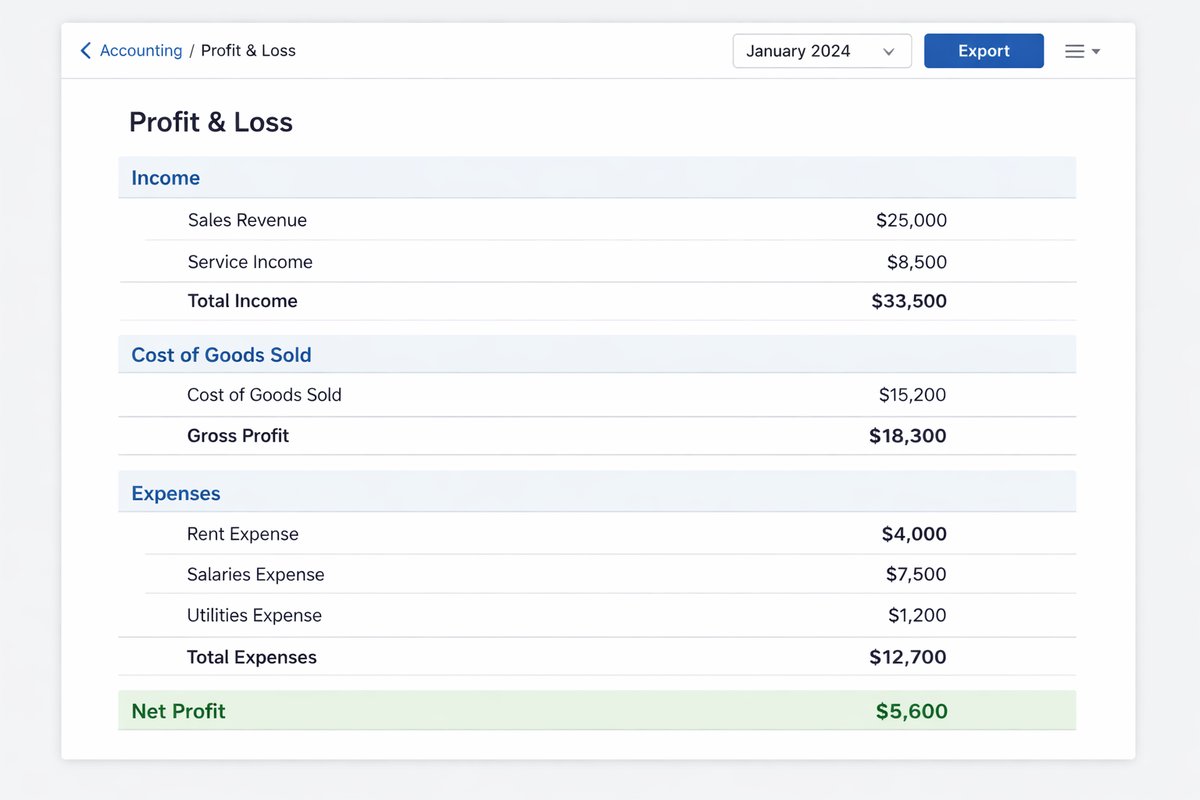
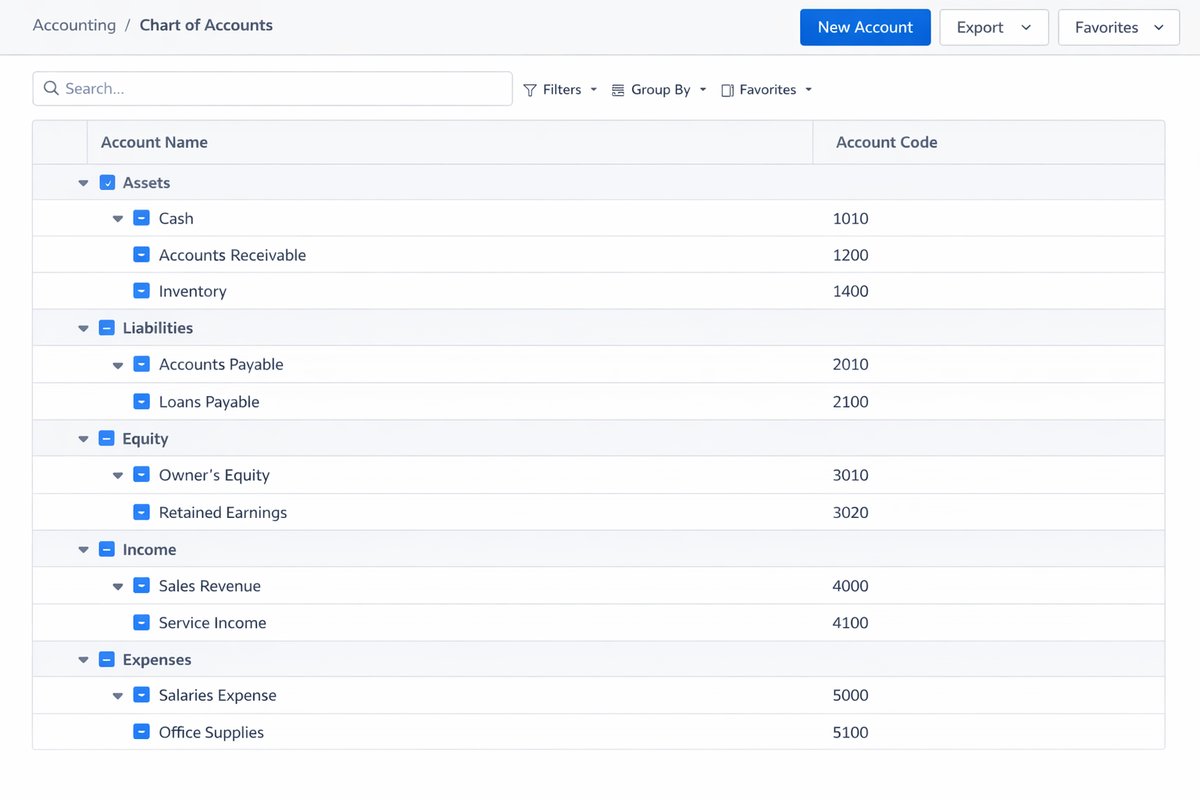
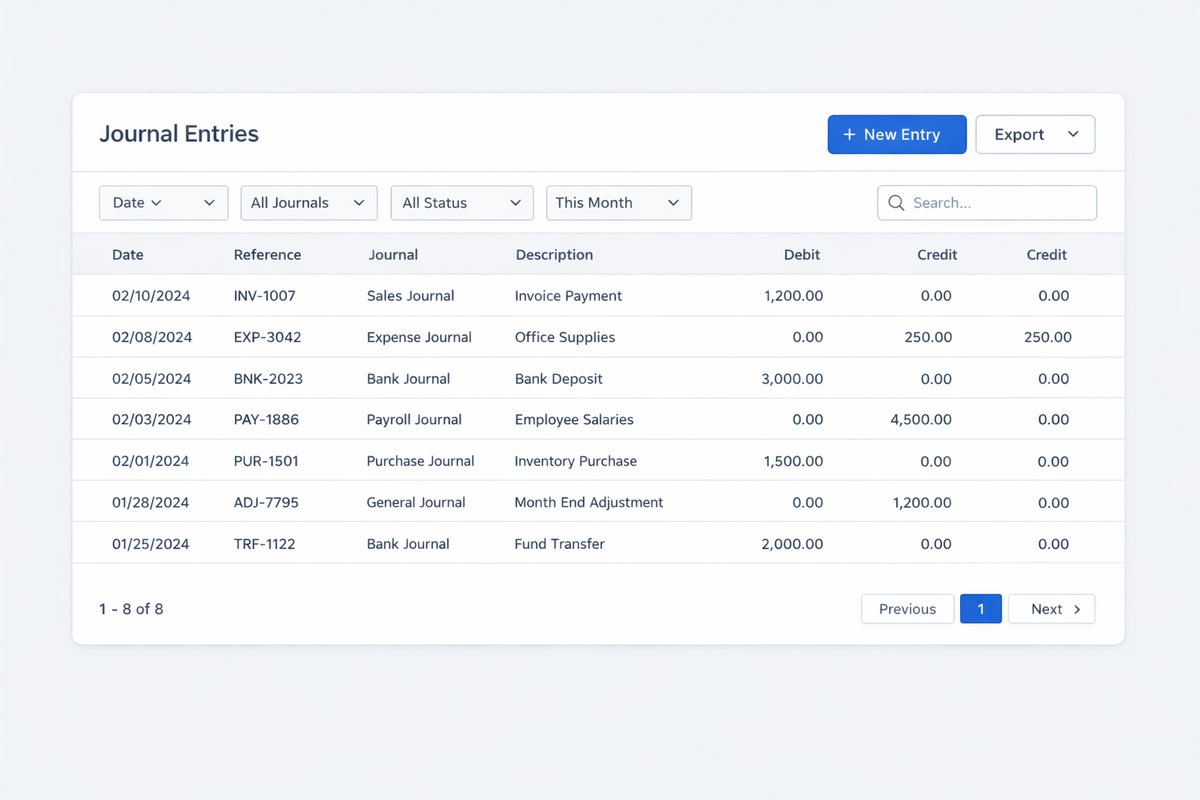
Real screens from the platform.
What teams use most in this module
Practical capabilities that make day-to-day execution faster, cleaner, and easier to govern.
Chart of Accounts
Design a structured account framework that supports statutory reporting, management analysis, and disciplined posting rules.
Parent and child hierarchy for grouped reporting
Account types and detail types aligned with policy
Optional account numbering discipline for consistency
Opening balance planning by account class
Naming conventions that reduce posting confusion
Journal Entries and Adjustments
Prepare and review Manual Journal Entry activity with clear debit/credit logic, support notes, and period-end control.
Manual Journal Entry creation with multi-line posting
Debit and credit visibility before posting
Adjustment entries for period-end requirements
Reason and evidence capture for audit readiness
Review and approval discipline for sensitive entries
Correction and reversal handling where policy requires
Accounts Receivable
Monitor customer invoice impact, open balances, and collection status with aging visibility that supports faster follow-up.
Customer invoice impact on receivable balances
Open balance and due-date tracking
Payment application to invoices
Accounts Receivable Aging Summary and Detail visibility
Overdue follow-up support for collections
Cash collection monitoring for finance review
Accounts Payable
Control vendor bills, due dates, and payment status so finance teams can plan outgoing cash with fewer surprises.
Bills and payable records by vendor
Due-date and aging visibility for payment planning
Approval status review before payment release
Unpaid, paid, and approved state tracking
Accounts Payable Aging Summary and Detail monitoring
Cash planning context for finance leads
Banking and Cash Management
Track Bank account and cash account movements with posted transaction visibility and structured cash-position oversight.
Bank account and cash account setup
Deposits and withdrawals tracking
Posted bank transactions review
Cash balance visibility by account
Banking activity context for treasury monitoring
Reconcile
Run repeatable Reconcile routines that compare book activity with statement balances and enforce completion evidence.
Reconciliation period selection and cadence
Beginning and ending balance checks
Uncleared and unmatched item review
Difference investigation and resolution
Adjustment entry support when required
Reconciliation completion discipline with retained records
Financial Statements and Core Reports
Deliver close-ready outputs for management, controllers, and auditors with statement-level and transaction-level visibility.
Balance Sheet and Profit and Loss review
Trial Balance verification for period control
General Ledger detail by account and date
Transaction List by Date and Transaction Detail by Account
Statement of Cash Flows for liquidity review
Audit Log and Period Controls
Protect accounting integrity with closing date policies and full traceability of finance-related changes.
Closing date policy to restrict backdated edits
Exception handling after close with controlled access
Audit Log review of who changed what and when
Governance checks for high-impact updates
Period-close control support for finance leadership
Budgeting and Budget Performance
Prepare budgets and compare actual performance to planned targets so managers can act on variance early.
Budget creation by period and structure
Prior-year-based or scratch-based planning support
Budget overview for finance and management teams
Budget vs actual performance tracking
Variance review during monthly performance cycles
Tax and Mapping Controls
Set finance mappings carefully so transactions post consistently and reporting stays coherent across modules.
Tax mapping discipline by transaction context
Payment mode mapping to the right accounts
Expense and item mapping consistency
Configuration review controls before go-live
Cleaner downstream reporting quality
Start with this workflow
Follow these structured steps to launch one controlled process first, then expand.
Finance rollout readiness
1
Choose the first finance pain to fix: close delay, A/R follow-up, A/P control, reconciliation, reporting, or compliance evidence
2
Name the finance owner for accounts, journals, periods, mappings, and report sign-off
3
Clean customers, suppliers, items, tax rules, and opening balances before import
4
Define which operational records must be complete before finance closes the period
5
Test one real close cycle before wider ERP expansion
Setup and Go-live Readiness
1
Confirm fiscal year, periods, and reporting structure
2
Define Chart of Accounts and numbering policy
3
Set opening balances and validate dependencies
4
Validate customer and vendor master readiness
5
Set journal review and approval rules
6
Test Trial Balance and report baseline before go-live
Accounts Receivable Workflow
1
Issue customer invoice
2
Track receivable and open balance
3
Record and apply payment
4
Update remaining balance and status
5
Review receivable aging
6
Escalate overdue follow-up
Accounts Payable Workflow
1
Record vendor bill
2
Review due date and payable exposure
3
Complete approval based on policy
4
Record payment
5
Review payable aging
6
Monitor cash impact
Journal and Adjustment Workflow
1
Prepare journal entry
2
Validate debit and credit totals
3
Attach reasoning and evidence
4
Review and approve
5
Post entry
6
Verify impact in ledger and statements
Bank Reconciliation Workflow
1
Choose Bank account and reconciliation period
2
Compare bank activity with recorded transactions
3
Identify unmatched or uncleared items
4
Post adjustments where required
5
Complete Reconcile process
6
Retain reconciliation evidence
Monthly Close Workflow
1
Confirm operational records are complete
2
Reconcile bank and cash balances
3
Post adjusting journals
4
Review Trial Balance and General Ledger anomalies
5
Review Profit and Loss and Balance Sheet
6
Close period and restrict backdated changes per policy
Who this module is for
Finance Administrator and Finance Lead
Accountants responsible for journals and close activities
A/R and collections teams
A/P teams managing vendor obligations
Controllers and finance managers
Auditors and read-only reviewers
Founders and leadership teams requiring finance visibility
Common problems this module helps solve
Month-end close depends on spreadsheets and late operational explanations
Receivable aging is visible too late for disciplined collection follow-up
Supplier bills and payable obligations are not reviewed before cash decisions
Bank reconciliation differences are carried forward without clear ownership
Manual journals and adjustments are posted without enough evidence or approval
Finance reports are rebuilt manually because transaction sources are disconnected
Chart of Accounts design is copied from legacy systems without cleanup
Operational modules create financial impact without clear accounting mappings
Audit questions require manual digging across invoices, bills, journals, and exports
Where teams apply this module
Finance teams standardizing posting, reporting, and close controls
Companies moving from spreadsheets or accounting-only tools into connected ERP
Organizations that need clearer Accounts Receivable and Accounts Payable governance
Businesses requiring recurring bank reconciliation and cash visibility discipline
Management teams that need trusted Profit and Loss, Balance Sheet, and Trial Balance review
Audit-focused organizations improving change traceability and close evidence
Saudi and GCC companies that need accounting workflows connected to e-invoicing readiness
Connected records across modules
CRM and Sales records for invoices, receivables, payments, and collection context
Procurement records for purchase requests, vendor bills, approvals, and payables

Inventory and warehouse movements for stock-related finance review

Manufacturing orders and material consumption for production cost context

Payroll and HR inputs for salary, deduction, and period-cost review

Assets and equipment records for ownership, maintenance, and depreciation context

ZATCA and e-invoicing records for invoice evidence, QR, XML, and tax review

Exports and audit packs for external review, reconciliation, and migration support
Built-in Reports & Analytics
Balance Sheet — validates financial position for leadership and board review
Profit and Loss — tracks operating performance and margin outcomes
Trial Balance — verifies account balances before close sign-off
General Ledger — provides transaction-level movement by account
Audit Log — shows who changed what and when for governance review
Transaction List by Date — supports period activity reviews and anomaly checks
Transaction Detail by Account — supports account-level investigation and audit follow-up
Accounts Receivable Aging Summary — prioritizes collection actions by aging bucket
Accounts Receivable Aging Detail — supports customer-level follow-up planning
Accounts Payable Aging Summary — supports payable obligations and disbursement planning
Accounts Payable Aging Detail — clarifies vendor-level settlement status
Statement of Cash Flows — supports liquidity and cash movement decisions
Budget Overview — summarizes planned vs actual trajectory by period
Reconciliation reports — evidence that reconciliations were completed and differences resolved
Compliance & Implementation Resources
Practical guides to help you rollout and validate workflows.
Accounting implementation checklist
Plan ownership, master data, receivables, payables, close readiness, and reporting confidence before go-live.
Read guideCore accounting implementation checklist
Prepare account structure, opening balances, journal rules, reconciliation, and close reporting.
Read guideFAQ
Can we structure our own Chart of Accounts?
Yes. Finance teams can define hierarchy, account types, naming conventions, and optional numbering discipline based on policy.
Can finance review and approve Manual Journal Entry records?
Yes. Review and approval controls can be enforced for sensitive journals, adjustments, and period-end entries.
Can we track Accounts Receivable and Accounts Payable separately?
Yes. Both subledgers are tracked independently with dedicated aging visibility and follow-up workflows.
Can we reconcile bank accounts inside the system?
Yes. Reconcile routines support period selection, uncleared item review, difference handling, and completion evidence.
Can we monitor unpaid and overdue balances?
Yes. Aging reports and open-balance views support collections and payable review cycles.
Can we close the books or restrict old-period edits?
Yes. Closing date controls can restrict backdated edits while allowing controlled exceptions under governance.
Can we compare Budget vs actual performance?
Yes. Where budgeting is enabled, teams can review Budget Overview and variance patterns against actual performance.
What reports are available for finance review?
Core reports include Balance Sheet, Profit and Loss, Trial Balance, General Ledger, aging reports, Audit Log, cash flow, and reconciliation outputs.
How should opening balances be handled at go-live?
Load opening balances from an approved source, validate dependencies, and confirm Trial Balance baseline before live posting.
How does Core Accounting connect to sales, purchasing, and other records?
Customer invoices affect receivables, supplier bills affect payables, and related operational records provide context for financial review and close control.
Should accounting be the first ERP workflow?
Often yes when the biggest pain is reporting confidence, receivable follow-up, payable control, reconciliation, or month-end close delay. If the biggest pain is inventory or operations, accounting should still be connected early so financial impact is not rebuilt later.
How does accounting connect to ZATCA and e-invoicing?
Invoice records, seller data, tax setup, QR, XML, and compliance evidence should stay connected to finance review so tax readiness does not become a separate manual process.
What should we prepare before an accounting demo?
Bring your chart of accounts, one receivable aging example, one supplier bill flow, one reconciliation issue, one month-end report, and the main close blocker you want to fix first.
Plans that include this module
Confirm commercial fit before rollout planning.
Business Plan
Enterprise Plan
Ready to evaluate Accounting ERP software for finance control with your team?
We will map this module to your current process, owners, controls, and rollout timeline.
User guide
How to use Accounting ERP software for finance control
Setup checklist, key workflows, reports, and troubleshooting.
Talk to our solution team
Tell us what you need and we will reply with a rollout plan and recommended modules.
Fields marked with * are required.
Related content
Related Modules
AI Sales Assistant
Use AI-assisted calling and qualification workflows to improve first-contact consistency, lead follow-up, call summaries, and CRM handoff discipline.
Often fits plan: Field Service · Scale
Asset Management
Control asset records, custody, locations, maintenance, audits, depreciation, and lifecycle accountability from one controlled workspace.
Often fits plan: Field Service · Scale
Asset Management
Manage company assets, custody, locations, maintenance, audits, depreciation, and lifecycle accountability from one controlled workspace.
Related Use Cases
Accelerate Order to Cash
Connect sales, fulfillment, invoicing, and collections to reduce revenue leakage and improve cash conversion.
order-to-cash
revenue-operations
cash-flow
Control Production Costs
Tie material usage, labor capture, and overhead allocation to each production order for reliable margins.
manufacturing-management
costing
inventory-warehousing
Related Industries
ERP for Manufacturing Operations
Manufacturing ERP for production planning, MRP, inventory, quality, costing, and shop-floor control across growing factories.
manufacturing
mrp
production
ERP for Clinics and Outpatient Networks
Sector playbook covering pain points, workflows, module fit, and buying checklist for erp for clinics and outpatient networks.
industry
operations
erp
Related Guides
Build ZATCA audit trail controls for SMB finance teams
Practical guide for build zatca audit trail controls for smb finance teams with execution steps and buying support links.
zatca
saudi
compliance
ERP Implementation Playbook
A practical, phased guide to planning, launching, and scaling ERP adoption across teams with measurable outcomes.
implementation
operations
change-management