Company, department, and team objectives with clear scope and ownership
 Module
OKR and goals management ERP software
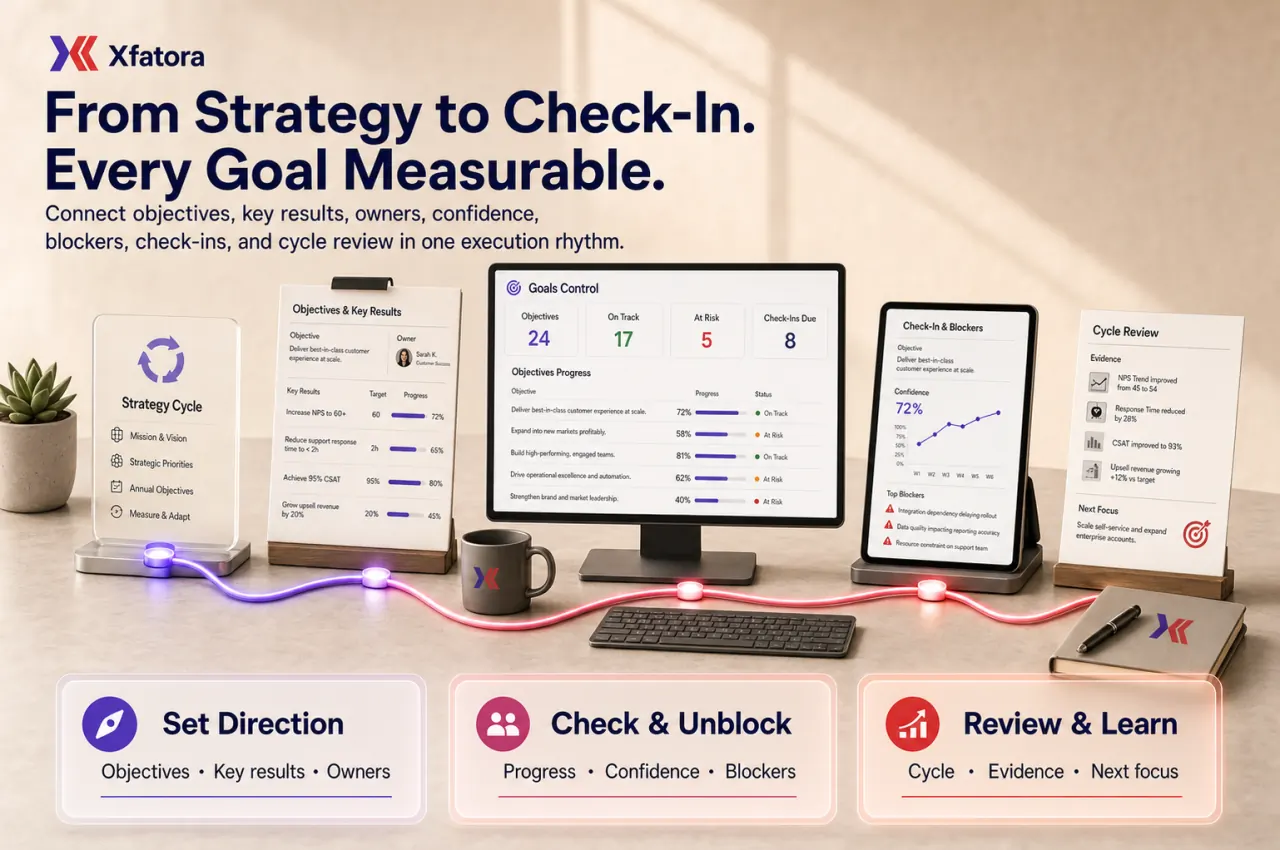
Connect strategic objectives, measurable key results, owners, check-ins, confidence, blockers, and leadership review cycles in one execution rhythm.
Xfatora OKR and Goals Management helps leadership, PMO, department heads, and team owners translate strategy into measurable objectives, review progress, surface blockers, and close execution cycles with evidence.
Approved app available now
Take HR & People to the frontline.
Bring attendance, leave, schedules, employee records, permission-aware payroll access, workload, and goals closer to every role.
What this module helps you control
Measurable key results with target values, achieved values, units, and confidence signals
Monthly or quarterly cycles with start dates, end dates, check-in cadence, and closure rules
Owner, contributor, reviewer, and leadership accountability for every objective
Recurring check-ins with progress, confidence, blockers, notes, and feedback history
At-risk objectives, stalled key results, overdue updates, and developing items visibility
Public/private visibility, role-based review, and audience-aware goal governance
Related tasks, projects, initiatives, and capacity signals without replacing project management
Leadership review packs, cycle summaries, lessons learned, and carry-forward decisions
Handoffs to Projects, Workload Planner, People Records, Smart Mentions, Reporting, and Exports
Business outcomes teams expect
Create clearer alignment between strategic priorities and day-to-day execution.
Strengthen ownership of outcomes with explicit Objective and Key Result responsibility.
Make goals measurable using target-based key results instead of activity-only statements.
Keep progress visible through recurring check-ins and confidence updates.
Detect stalled or at-risk goals earlier instead of waiting for end-of-cycle surprises.
Run cleaner team and leadership review cycles with shared dashboard context.
Reduce ambiguity around priorities by publishing governed goal scopes and cycles.
Improve cross-team alignment on initiatives that require multiple contributors.
Standardize monthly or quarterly governance for scoring, review, and follow-up.
Document end-of-cycle learning so future planning starts from evidence, not assumptions.
Screenshots
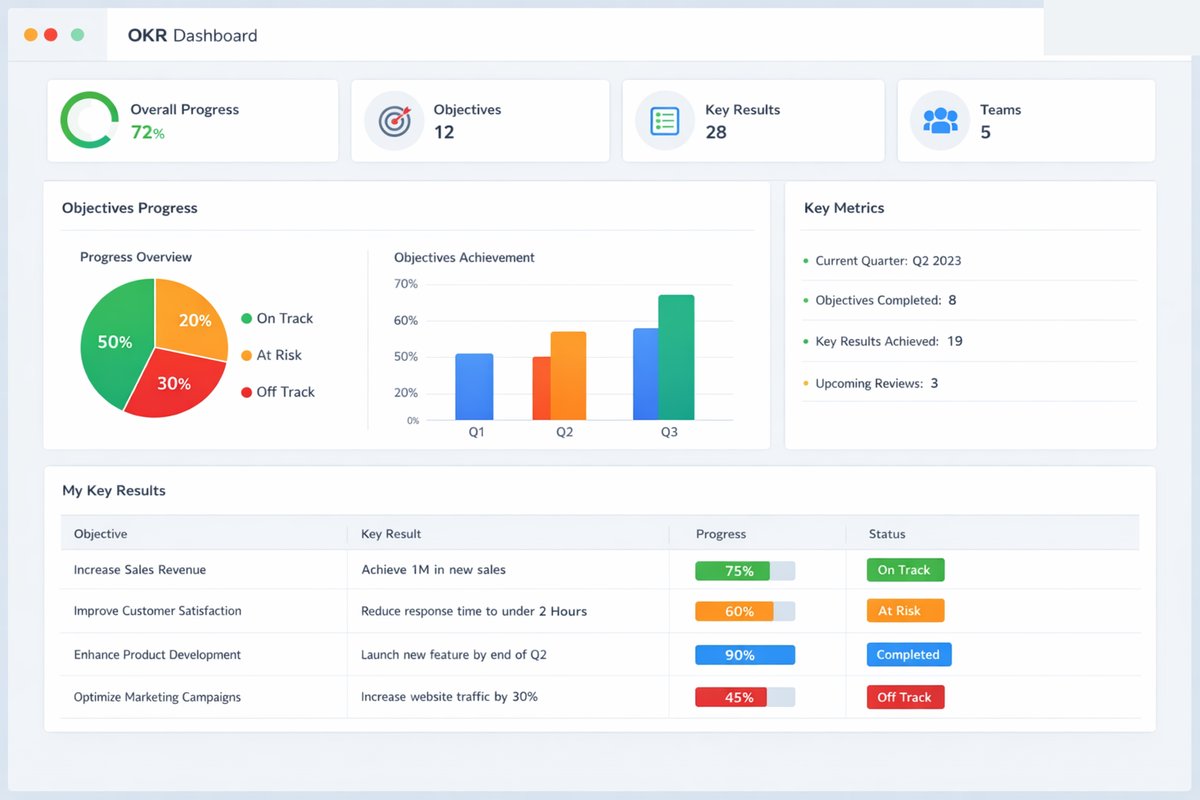
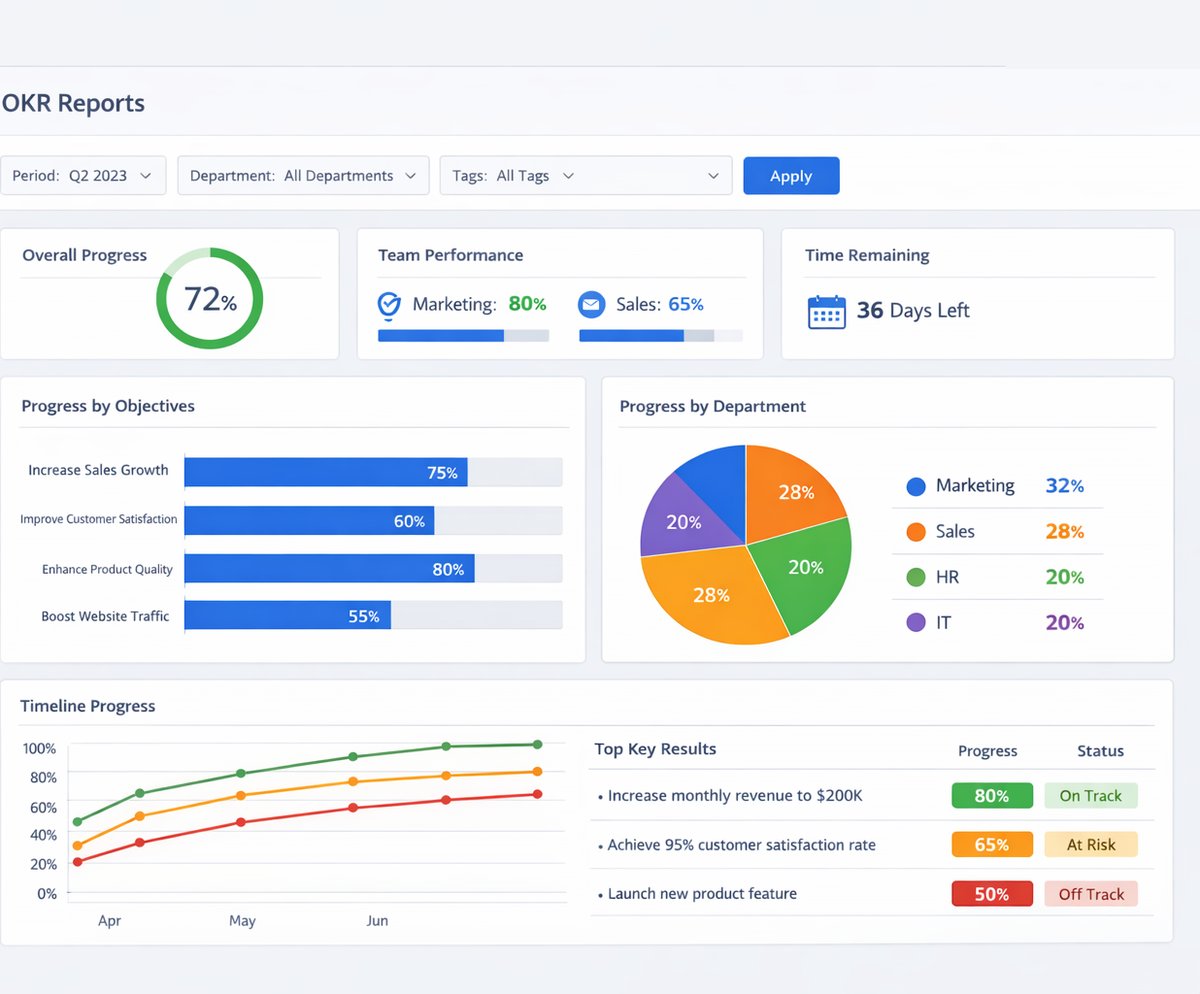
Real screens from the platform.
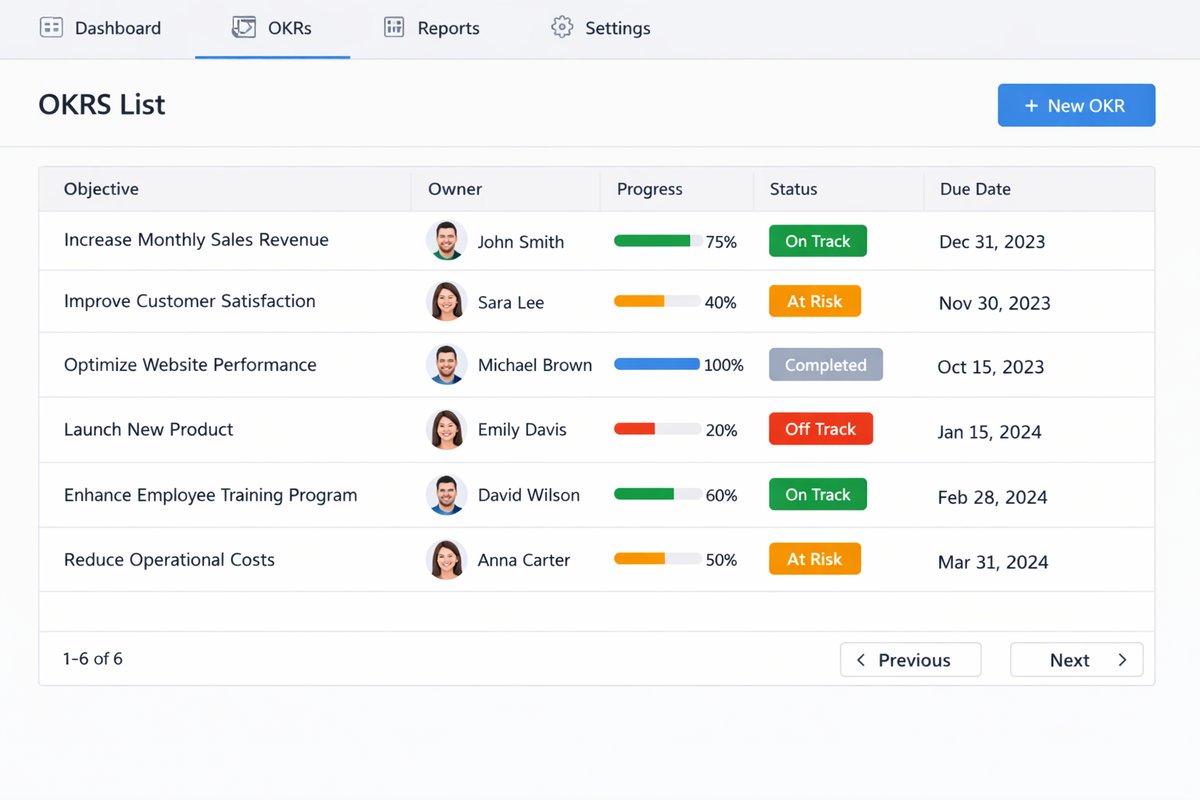
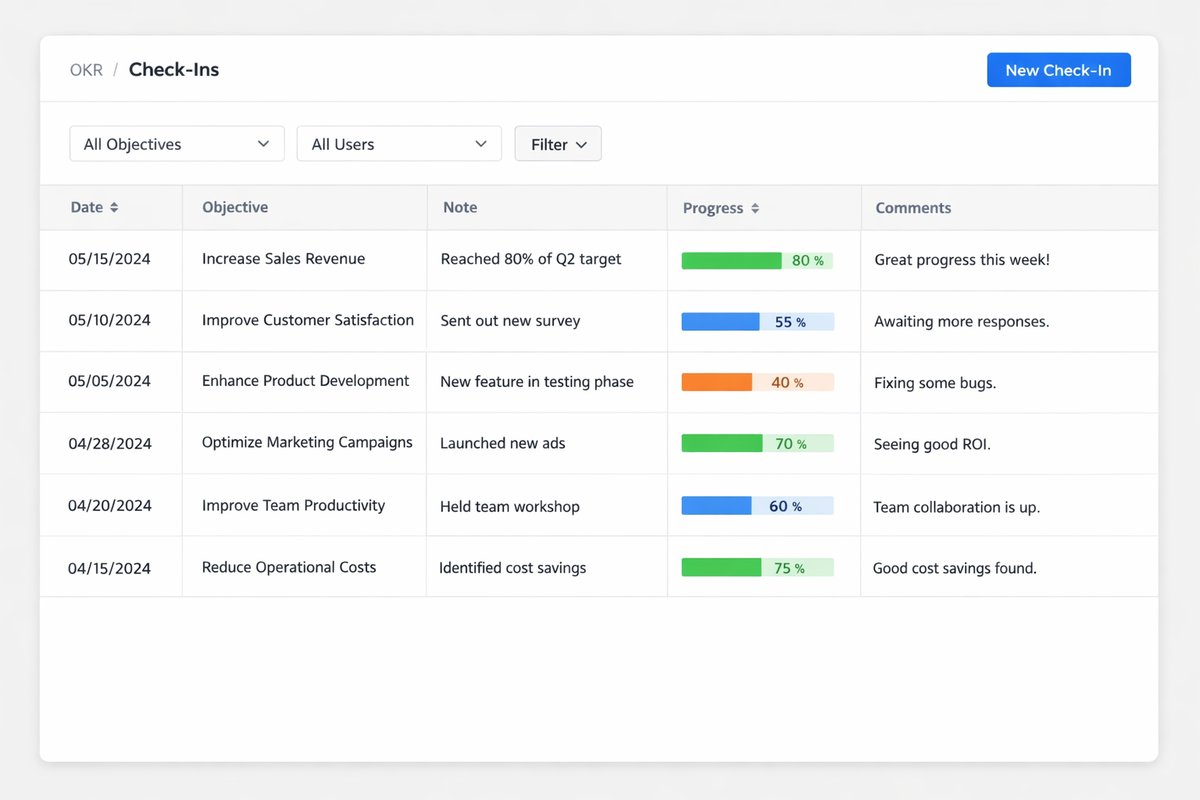
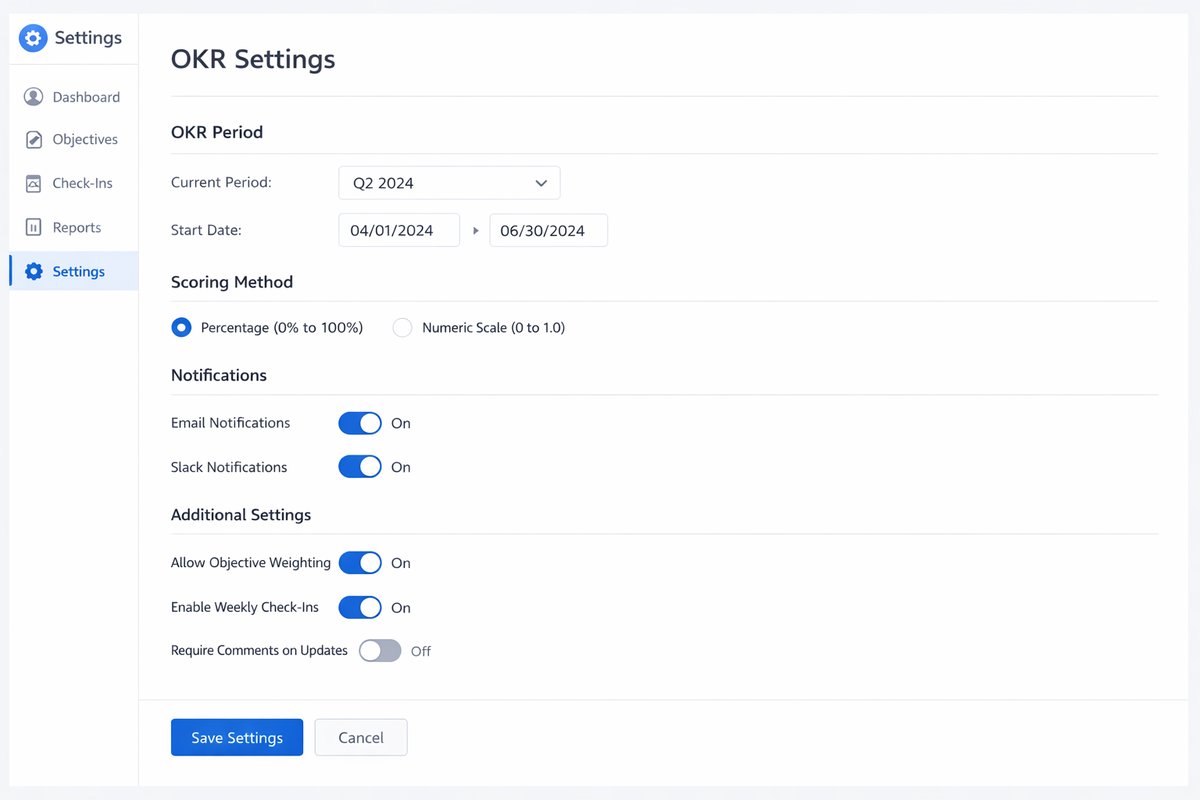
What teams use most in this module
Practical capabilities that make day-to-day execution faster, cleaner, and easier to govern.
Objectives and Key Results
Define each Objective with measurable Key Results so teams can track real outcomes, not only completed activity.
Objective records with clear business intent
Key Results with numeric or date-based targets
Owner assignment at Objective and Key Result level
Company or team-level goal scope
Public or private visibility context based on governance
Goal Cycles
Structure goal execution in defined cycles to maintain cadence discipline and predictable review points.
Cycle setup for monthly or quarterly operation
Defined start and end dates for each period
Cadence rules for expected updates
Recurring cycle model for repeatable governance
Consistent period boundaries across teams
Check-ins and Progress Updates
Run structured Checkin updates so progress, confidence, and blockers stay visible throughout the cycle.
Checkin entries with date, progress, and achieved value
Confidence level updates for risk signaling
Notes and feedback context for reviewers
Consistent weekly or biweekly status rhythm
Timeline visibility into update history
Dashboards and Goal Health
Use Dashboard views to see progress this week, identify developing risks, and focus leadership attention quickly.
Progress this week snapshot by team or cycle
Items progressing well highlighted for quick scanning
Developing items and risk indicators in one view
Leadership-ready summary for periodic review
Fast drill-in to stalled goals and check-ins
Ownership and Accountability
Clarify who is responsible for each goal so follow-up and decision ownership remain unambiguous.
Person assigned for each Objective and Key Result
OKR owner and manager review expectations
Contributors identified where collaboration is needed
Ownership rules that reduce accountability gaps
Escalation context for overdue or at-risk outcomes
Categories, Units, and Settings
Configure category, unit, and evaluation rules so the framework remains consistent across departments.
Category setup for strategic grouping
Unit definitions for measurable consistency
Evaluation criteria and scoring setup
Governance settings for cycle controls
Standardized framework across teams
Related Tasks and Execution Context
Reference related tasks to show execution context without turning goals into a project task board.
Related tasks linked to Objective or Key Result context
Visibility into supporting execution work
Traceable link between progress and follow-up actions
Context for blockers affecting outcomes
Clear separation between goal tracking and project delivery
Reports and Review Outputs
Generate report outputs for team, management, and leadership reviews across the cycle lifecycle.
OKR progress by cycle and team scope
At-risk goals and Key Results visibility
Check-in history for review evidence
Team/company summaries for governance meetings
Leadership-ready review material
Public / Private Visibility and Governance
Control who can view, edit, check in, and review each goal based on role and audience policies.
Public and private goal visibility options
Role-based edit and check-in permissions
Controlled reviewer access by governance policy
Audience-aware publication for sensitive goals
Reduced confusion around information access
End-of-Cycle Review
Close each cycle with final progress scoring, lessons learned, and carry-forward decisions for the next period.
Final progress review across Objectives and Key Results
Lessons learned capture and documentation
Formal review and closure actions
Carry-forward, reset, or retire decisions
End-of-period governance discipline
Start with this workflow
Follow these structured steps to launch one controlled process first, then expand.
OKR rollout readiness
1
Choose one strategy cycle to stabilize before expanding company-wide
2
Define the first cycle, owners, reviewers, scoring rules, visibility rules, and check-in cadence
3
Prepare one company objective, two team objectives, measurable key results, current blockers, and one related project or capacity constraint
4
Test weekly or biweekly check-ins, confidence updates, blocker escalation, dashboard review, and cycle closeout
5
Agree how leadership reviews at-risk goals and how lessons are carried into the next cycle
Create a new goal cycle
1
Define the cycle period with clear start and end dates
2
Choose weekly or biweekly check-in cadence
3
Configure cycle settings, scoring, and categories
4
Publish the cycle to the right teams
Create objectives and key results
1
Define the Objective aligned to a strategic priority
2
Add measurable Key Results with explicit targets
3
Assign owners and supporting contributors
4
Validate target quality and team/company scope
5
Publish for visibility and review
Run weekly or biweekly check-ins
1
Open the relevant Objective or Key Result
2
Record progress and achieved values
3
Set current confidence level
4
Add blockers, notes, or feedback context
5
Save and review dashboard updates
Mid-cycle review
1
Review dashboard status by team and company scope
2
Identify stalled, risky, or declining items
3
Assign follow-up actions to owners
4
Adjust execution plans based on current evidence
5
Preserve target governance unless formal changes are approved
End-of-cycle closeout
1
Finalize remaining check-ins
2
Review Objective and Key Result outcomes
3
Record learnings and closure notes
4
Close the cycle with governance approval
5
Start planning the next cycle
Leadership review pack
1
Review cycle progress summaries
2
Isolate at-risk goals for discussion
3
Review check-in history and confidence trends
4
Prepare leadership update with evidence
5
Decide focus areas for the next cycle
Who this module is for
Leadership teams managing strategic execution
Department heads aligning team outcomes to company priorities
OKR admins governing cycle setup and standards
Initiative owners accountable for measurable progress
Team leads running regular check-in cadences
Strategy and PMO functions that require measurable alignment
Common problems this module helps solve
Goals are announced but not reviewed through a consistent operating cadence
Key results are written as tasks instead of measurable outcomes
Leadership meetings depend on verbal updates, slides, and scattered spreadsheets
Owners and contributors are unclear when strategic initiatives slow down
Risks, blockers, and confidence drops are discovered too late in the cycle
Teams create too many objectives and lose focus on the few that matter
Project delivery continues without showing whether strategic outcomes are improving
Capacity constraints are ignored when objectives are planned
End-of-cycle learning is not documented, so every planning cycle starts from assumptions
Where teams apply this module
Leadership teams running quarterly objective and key-result cycles
PMO or strategy teams standardizing execution review across departments
Department heads connecting team goals to company priorities
Service, software, manufacturing, and operations teams tracking measurable improvement programs
Management teams reviewing at-risk goals, confidence trends, and blockers before deadlines
Companies connecting projects, workload, people records, and execution goals in one rhythm
Organizations preparing leadership review packs and end-of-cycle lessons learned
Connected records across modules

Projects and Services: projects, milestones, tasks, and delivery evidence can support objectives that require execution work.
Workload Planner: capacity, overload, and leave impact help leaders judge whether objectives are realistic.

People Records: owners, managers, departments, and employee context support accountability and development conversations.

Time & Attendance: leave and availability context can explain capacity constraints behind execution risk.
Smart Mentions: at-risk goals, overdue check-ins, and blocker follow-up can be escalated to owners inside records.

Data Exporter and Reporting: cycle summaries, check-in history, goal health, and leadership evidence can support management review packs.
Built-in Reports & Analytics
Objectives and key results by cycle, owner, department, and company scope
At-risk objectives and developing key results
Overdue check-ins and missing update review
Confidence trend and blocker summary
Progress this week and progress by cycle
Team and company goal health dashboard
Related projects and execution context review
Leadership review pack with follow-up decisions
End-of-cycle outcomes, lessons learned, and carry-forward decisions
Exportable OKR evidence pack for management review
FAQ
What is the difference between Goals Tracker and OKR?
Goals Tracker is the public module name. The operating model inside the module remains OKR, including Objectives, Key Results, Checkins, and Cycles.
Can we set company-wide and team-specific goals?
Yes. You can define goals at company level and team level while preserving ownership and review boundaries.
Can each goal have measurable key results?
Yes. Objectives can include one or more measurable Key Results with target values and periodic updates.
Can teams run weekly or biweekly check-ins?
Yes. Cycles can enforce a weekly or biweekly Checkin rhythm to keep progress visibility current.
Can leadership review risky or stalled goals quickly?
Yes. Dashboard and report views highlight at-risk and stalled items for focused leadership follow-up.
Can we keep some goals private and others public?
Yes. Visibility can be controlled by role and audience so sensitive goals are restricted while strategic goals remain broadly visible.
How is this different from Projects?
Projects manages execution tasks and delivery plans. Goals Tracker measures whether that execution is improving strategic outcomes.
How is this different from People performance reviews?
Goals Tracker governs objective progress and cycle review. Performance reviews are broader people processes and should not be replaced by goal tracking alone.
What should happen at the end of each cycle?
Finalize check-ins, review final Objective and Key Result progress, document learnings, and decide what to carry forward or reset for the next cycle.
Who should own module setup and governance?
A small governance group—typically strategy, PMO, or designated OKR admins—should control cycle settings, scoring standards, and review discipline.
How is OKR different from project management?
OKR defines why the work matters and how outcomes are measured. Project management controls delivery tasks, milestones, dependencies, and execution details.
Should OKRs connect to workload planning?
Yes. Capacity, leave, overload, and project demand help leaders judge whether goals are realistic before execution risk becomes visible too late.
How often should teams check in on OKRs?
Weekly or biweekly check-ins work well for most operating teams. Slower strategic objectives may use monthly reviews if risk is low.
What should we prepare before an OKR demo?
Prepare one current strategic priority, two team objectives, measurable key results, current blockers, owners, review cadence, and one objective that depends on a project or team capacity.
Plans that include this module
Confirm commercial fit before rollout planning.
Growth Plan
Business Plan
Enterprise Plan
Ready to evaluate OKR and goals management ERP software with your team?
We will map this module to your current process, owners, controls, and rollout timeline.
User guide
How to use OKR and goals management ERP software
Setup checklist, key workflows, reports, and troubleshooting.
Talk to our solution team
Tell us what you need and we will reply with a rollout plan and recommended modules.
Fields marked with * are required.
Related content
Related Modules
AI Sales Assistant
Use AI-assisted calling and qualification workflows to improve first-contact consistency, lead follow-up, call summaries, and CRM handoff discipline.
Often fits plan: Field Service · Scale
Asset Management
Control asset records, custody, locations, maintenance, audits, depreciation, and lifecycle accountability from one controlled workspace.
Often fits plan: Field Service · Scale
Asset Management
Manage company assets, custody, locations, maintenance, audits, depreciation, and lifecycle accountability from one controlled workspace.
Related Use Cases
Accelerate Order to Cash
Connect sales, fulfillment, invoicing, and collections to reduce revenue leakage and improve cash conversion.
order-to-cash
revenue-operations
cash-flow
Control Production Costs
Tie material usage, labor capture, and overhead allocation to each production order for reliable margins.
manufacturing-management
costing
inventory-warehousing
Related Industries
ERP for Manufacturing Operations
Manufacturing ERP for production planning, MRP, inventory, quality, costing, and shop-floor control across growing factories.
manufacturing
mrp
production
ERP for Clinics and Outpatient Networks
Sector playbook covering pain points, workflows, module fit, and buying checklist for erp for clinics and outpatient networks.
industry
operations
erp
Related Guides
Build ZATCA audit trail controls for SMB finance teams
Practical guide for build zatca audit trail controls for smb finance teams with execution steps and buying support links.
zatca
saudi
compliance
ERP Implementation Playbook
A practical, phased guide to planning, launching, and scaling ERP adoption across teams with measurable outcomes.
implementation
operations
change-management