Handoffs lose operating context
Orders, stock, costs, and responsibilities are repeated across files and messages, so teams cannot trust one record.
Vehicle and driver records, delivery assignments, logistics handoff, cost, and utilization. Xfatora connects the verified workflows below without claiming sector-specific clinical, regulatory, or specialist systems it does not provide.
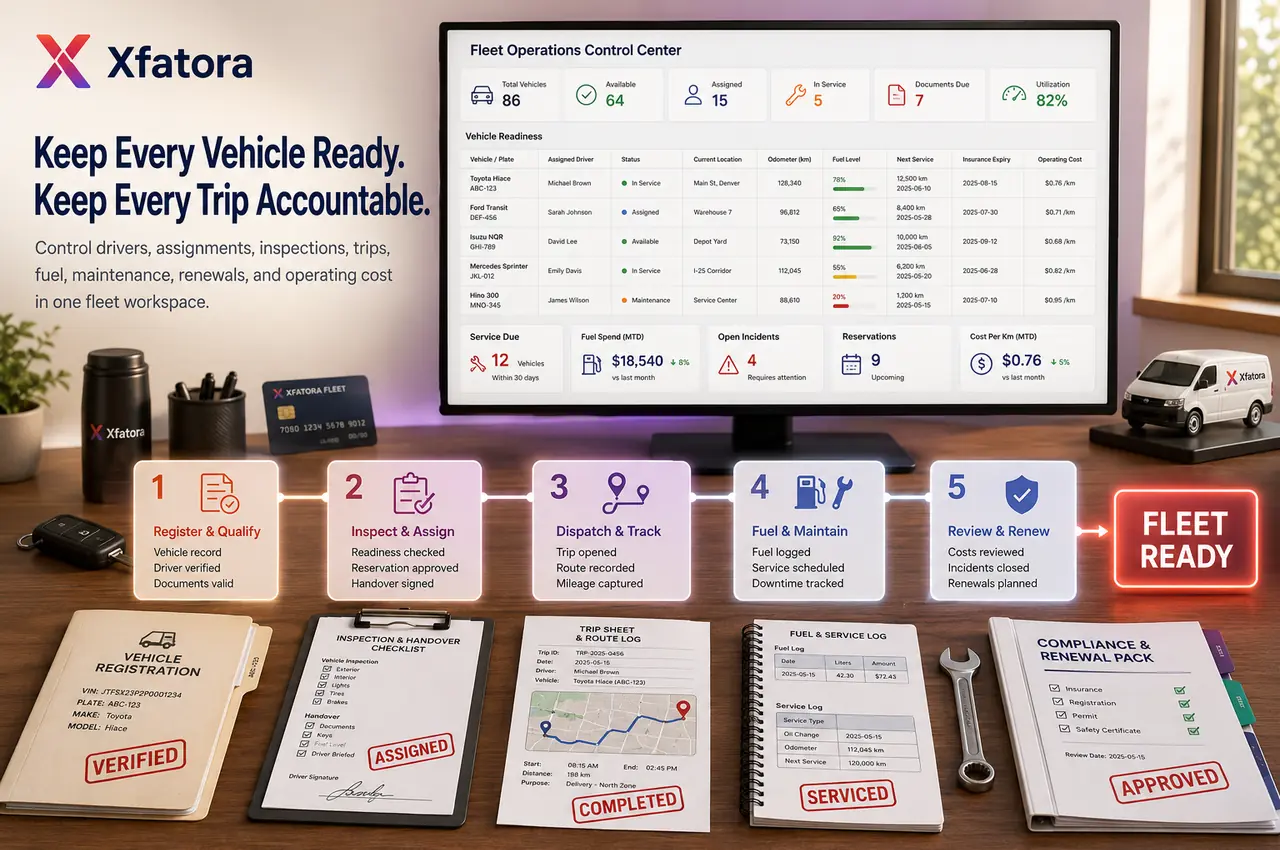

Manage vehicles, drivers, assignments, odometers, fuel, maintenance, inspections, renewals, and operating costs from an ERP-connected fleet app.
Where operations break
Orders, stock, costs, and responsibilities are repeated across files and messages, so teams cannot trust one record.
A decision is requested before ownership, supporting documents, or financial and operating impact are visible.
Teams spend time reconciling data instead of managing exceptions, customers, and delivery.
Connected operating flow
Context, ownership, and activity history remain connected through this stage.
Context, ownership, and activity history remain connected through this stage.
Context, ownership, and activity history remain connected through this stage.
Context, ownership, and activity history remain connected through this stage.
Context, ownership, and activity history remain connected through this stage.
Context, ownership, and activity history remain connected through this stage.
Value by role
A shared view of progress, exceptions, and cost without manual consolidation.
Clear records for intake, assignment, execution, and closure.
Documents, transactions, invoices, and collections linked to operating context.
Mobile access to assigned work with role-aware customer or asset context.
Verified modules
Choose your capacity
Organize vehicles, drivers and fleet operations.
$252 billed upfront every year
Save $60 a year versus monthly billing
Start Essential14-day trial on normal new registrations
Fleet, Internal approvals with staff signatures
$480 billed upfront every year
Save $120 a year versus monthly billing
Start Growth14-day trial on normal new registrations
Fleet, Internal approvals with staff signatures
$960 billed upfront every year
Save $252 a year versus monthly billing
Start Scale14-day trial on normal new registrations
Fleet, Internal approvals with staff signatures
Core CRM, sales documents, customer support, data export, backup and Arabic/global PDF support are included. Supported mobile apps use the same seats. Confirm app availability and customer-specific tax connector setup.
Regional e-invoicing is included in every current package: ZATCA for companies in Saudi Arabia and EU e-invoicing for companies in the European Union. Availability follows your company country; each connector still requires setup.
Add modules, users or storage ↗Phased implementation
Start where delay, rework, or reporting risk is highest.
Define master records, roles, and who creates, reviews, approves, executes, and closes.
Validate the full workflow with one team, location, or service line before expansion.
Add the next modules and teams after adoption and reporting are dependable.
Questions before you decide
Xfatora is an ERP platform connecting the verified modules and workflows shown on this page. We do not claim clinical, regulatory, engineering, or other specialist systems outside those capabilities.
Yes. Start with one high-value operating workflow, then add modules and teams after data, ownership, adoption, and reporting are stable.
Yes. The website and product support English and Arabic journeys, including RTL-aware Arabic interfaces.
Compare users, projects, items, storage, and included modules. For multi-department scope or wider governance, request a custom package through the form.
Next step
We will help you choose the right modules, plan, and rollout scope without oversizing the project.