Project setup, scope, owners, members, dates, and accountability
 Module
Projects and service delivery ERP software
Control project scope, owners, milestones, tasks, dependencies, timesheets, customer delivery updates, acceptance, and billing handoffs in one service delivery workspace.
Xfatora Projects and Services helps service, implementation, construction, and delivery teams connect project execution with customer context, workload, time tracking, acceptance, billing readiness, and management review.
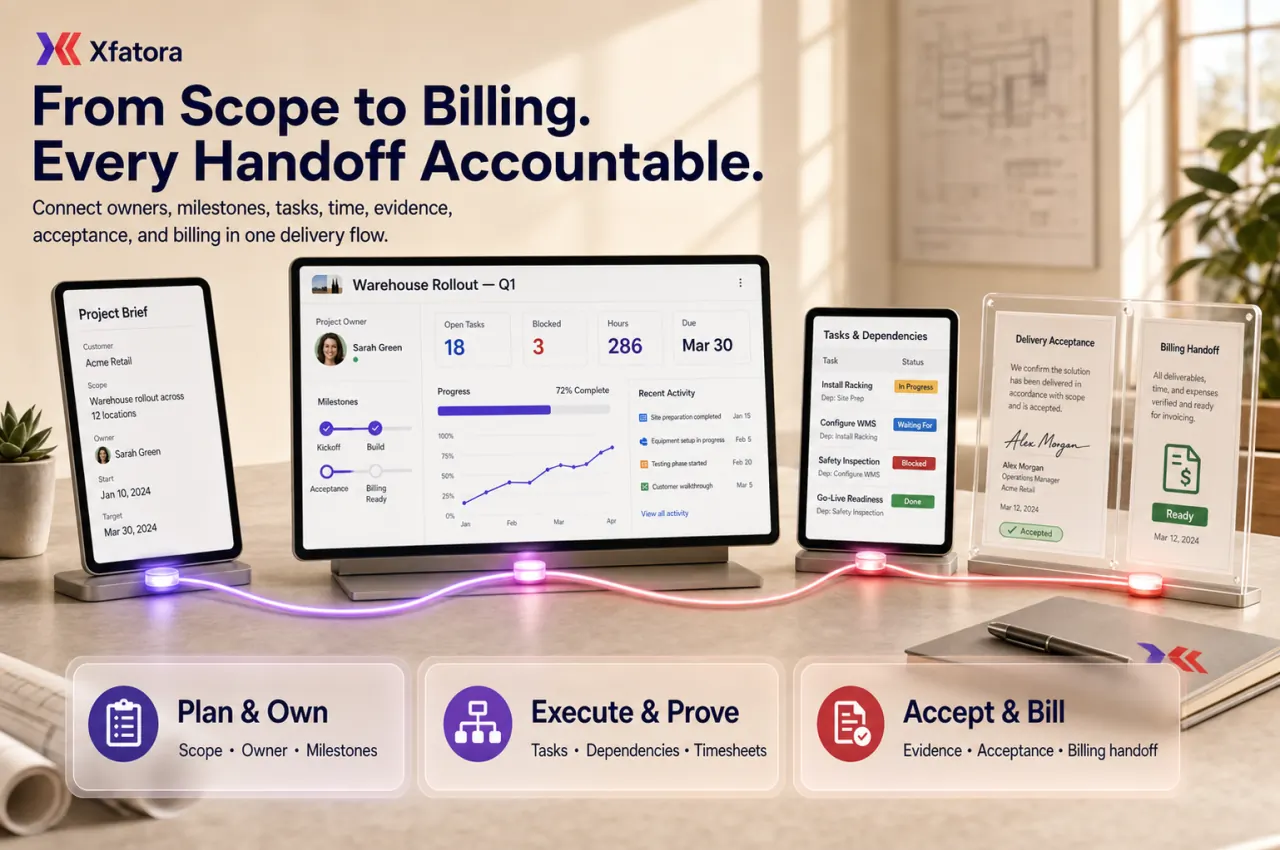

Approved app available now
Take Projects & Tasks to the frontline.
Plan projects, assign tasks, and follow deadlines, milestones, files, and time while keeping team collaboration in context.
What this module helps you control
Milestones, delivery phases, acceptance checkpoints, and billing-readiness triggers
Tasks, due dates, priorities, status updates, task types, and owner discipline
Task dependencies including Waiting for, Blocking, References, and Linked Tasks
Files, discussions, public notes, internal notes, and customer-safe updates
Timesheets and effort tracking by project, task, team, and delivery phase
Customer delivery visibility while preserving private internal context
Closure summaries, handover evidence, and delivery traceability
Handoffs to CRM, Accounting, Workload Planner, HR, Procurement, and Data Exporter
Business outcomes teams expect
Clarify accountability across delivery using Project Owners, defined members, and structured project records.
Improve milestone visibility so delivery checkpoints are reviewed before deadlines slip.
Strengthen task-level accountability through assignment, due dates, priority, and status updates.
Reduce hidden blockers by tracking Task Dependencies and exposing Waiting for and Blocking links earlier.
Preserve project memory with notes, Public Note updates, files, and activity history in one record.
Track effort cleanly with timesheets tied to real project and task execution.
Share customer-safe progress while protecting internal notes and operational context.
Support stronger delivery reviews, handovers, and closure summaries with auditable history.
Standardize recurring delivery models with repeatable project structures and templates.
Reduce context loss when ownership shifts across teams during long-running delivery work.
Screenshots
Real screens from the platform.
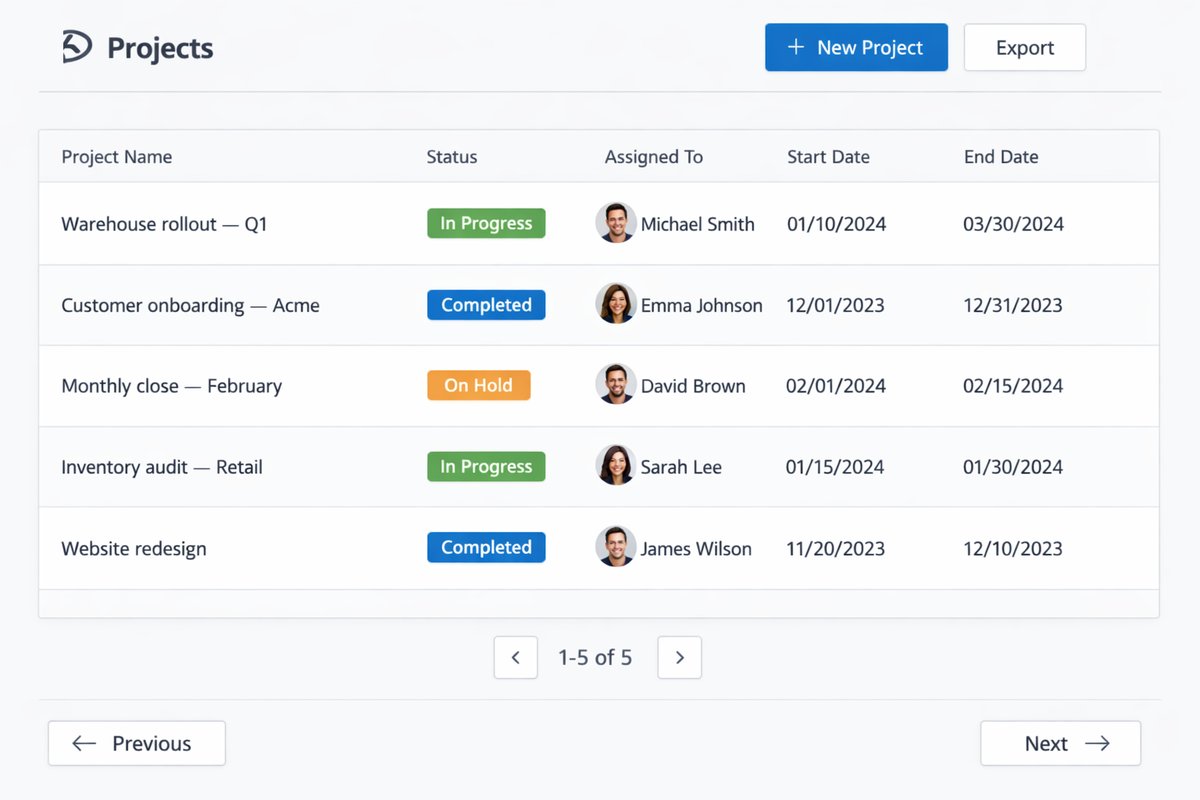
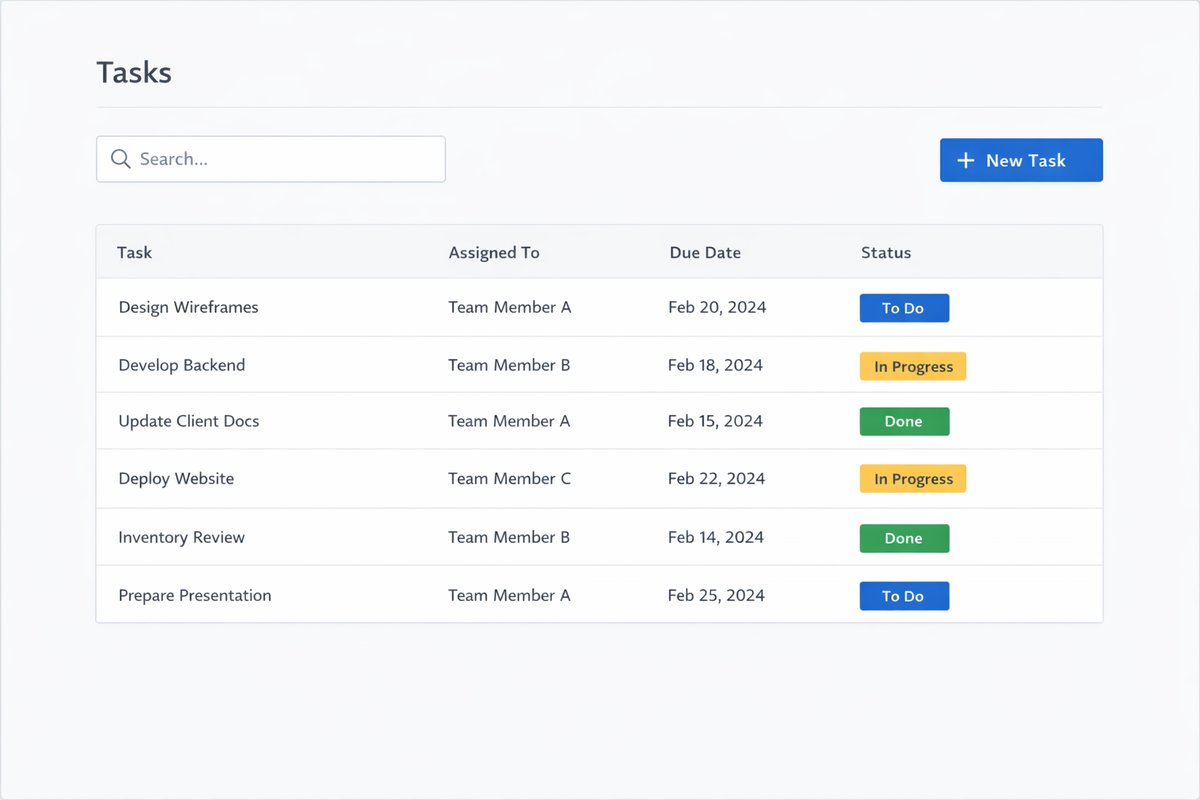
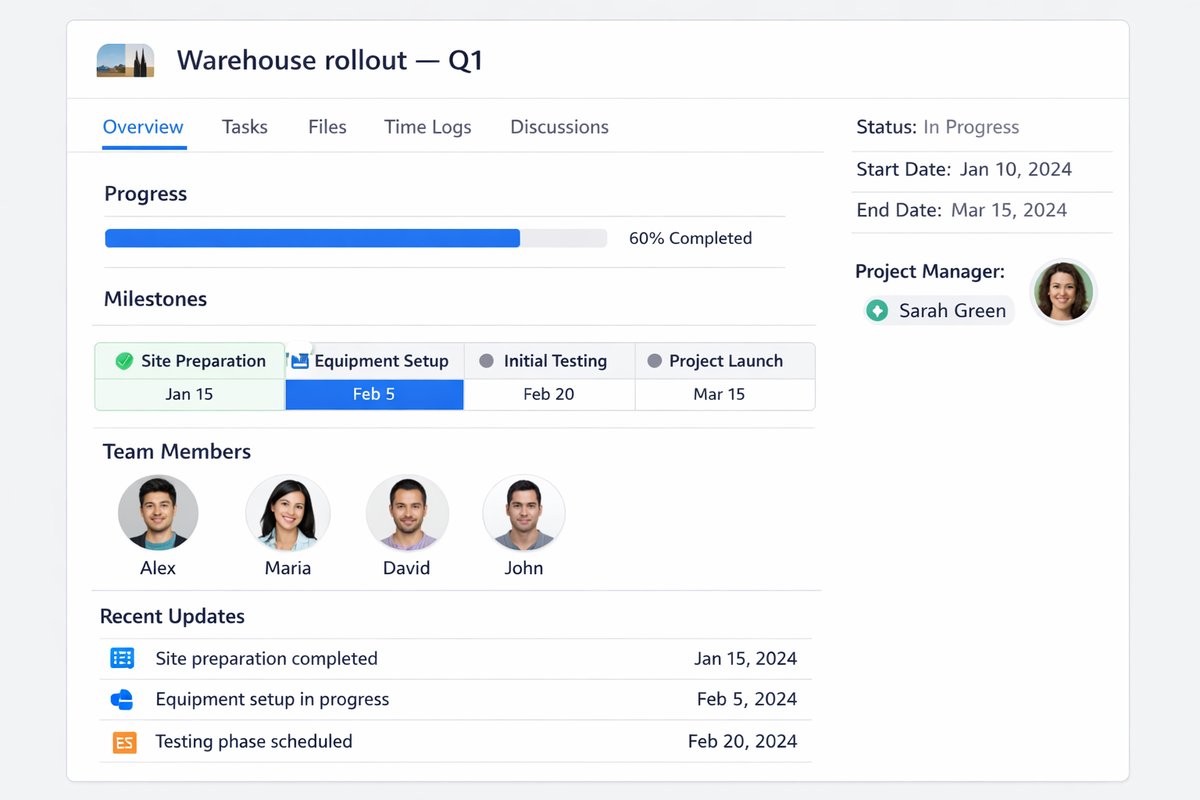
What teams use most in this module
Practical capabilities that make day-to-day execution faster, cleaner, and easier to govern.
Project Records and Project Owners
Create a controlled project record that defines ownership, members, scope, and accountability from kickoff through closure.
Project overview with core delivery context
Project Owners for clear accountability
Project members and role visibility
Status and progress tracking for management review
Start and target end dates for planning discipline
Scope and accountability visibility across teams
Milestones and Delivery Phases
Use milestones as delivery checkpoints that structure projects into practical phases and decision points.
Milestone setup by phase or outcome
Delivery checkpoints for governance reviews
Phase structure for predictable execution
Due-date visibility by milestone
Clearer stakeholder communication on what is next
Project progression clarity from kickoff to closure
Tasks and Task Execution
Manage project execution through tasks with ownership, due dates, priorities, and current status.
Task creation under each project
Assignments to accountable owners
Priority and due-date discipline
Status updates for execution tracking
Task-level visibility for PM and delivery leads
Stronger day-to-day execution accountability
Task Types
Classify project work using Task Type values to improve governance, filtering, and consistency across projects.
Task Type field for structured classification
Task-type governance through agreed standards
Reusable categories across similar projects
Cleaner filtering and reporting by task type
Consistency in delivery tracking and review
Task Dependencies
Control sequencing and risk by linking dependencies across tasks and exposing blockers before delay spreads.
Task Dependencies mapping for sequencing
Waiting for relationships between tasks
Blocking relationships for escalation focus
References for contextual task linkage
Linked Tasks for broader execution context
Earlier blocker detection before milestone slippage
Project Notes and Public Notes
Capture execution context, decisions, and updates through internal notes and customer-safe Public Note communication.
Public Note updates for customer-safe visibility
Internal project notes for delivery discussions
Pinned notes for critical decisions
Private vs customer-safe context separation
Decision history that preserves project memory
Files, Discussions, and Activity History
Keep project attachments and discussion context centralized so teams can hand over work with minimal context loss.
Centralized files and deliverable attachments
Comments and discussion context on project work
Activity history for traceability
Audit and handover readiness
Reduced dependency on scattered chats and drives
Timesheets and Effort Tracking
Track execution effort with time entries linked to projects and tasks for weekly discipline and cost awareness.
Timesheets tied to project and task records
Time entry logging against active execution
Effort visibility for delivery managers
Weekly review cadence for data quality
Delivery cost awareness from real effort data
Project-level utilization context for staffing decisions
Customer Visibility and Controlled Sharing
When customer access is enabled, share selected progress and files while keeping internal execution details private.
Customer access controls when enabled
Customer-visible progress sharing
Selected file sharing per project needs
Internal-only notes remain private
Cleaner client communication without separate status documents
Progress, Delays, and Execution Review
Run a consistent review cadence using project status, overdue tasks, blocked work, and milestone slippage signals.
Project status review for delivery health
Overdue task monitoring and follow-up
Milestone slippage visibility for escalation
Blocked task tracking and intervention
Execution review cadence for PM and management
Manager visibility for course-correction decisions
Templates and Repeatable Project Structure
Standardize recurring delivery work with reusable project setup patterns and repeatable milestone/task structures.
Reusable project setup patterns
Recurring milestone and task structures
Standardization for onboarding and implementation projects
Faster project creation with less setup variation
Governance consistency across repeated delivery work
Reporting and Delivery Review
Support project governance with practical outputs for progress, completion, effort, and workload decisions.
Project progress summaries
Task completion and status tracking
Milestone status review outputs
Time spent by project and effort visibility
Team workload visibility in project context
Delivery review outputs for management cadence
Start with this workflow
Follow these structured steps to launch one controlled process first, then expand.
Projects rollout readiness
1
Define project types, owners, milestones, task types, customer visibility, and closure rules
2
Choose the first workflow to stabilize: kickoff, milestones, dependencies, timesheets, acceptance, or billing handoff
3
Prepare one real project with proposal, milestones, tasks, files, time entries, and billing rule
4
Test one project from kickoff to delivery acceptance and invoice-readiness review
5
Review overdue tasks, blockers, effort quality, customer updates, and closure evidence weekly
Create a project and define ownership
1
Create the project record
2
Assign the Project Owner
3
Set scope, dates, and project members
4
Define milestones and delivery phases
5
Confirm structure and accountability before execution starts
Create and assign tasks
1
Add tasks under the project
2
Assign task owners
3
Set due dates and priorities
4
Apply Task Type where used
5
Attach files or notes for context
6
Start execution tracking through status updates
Manage dependencies and blockers
1
Identify tasks that are Waiting for other tasks
2
Link Task Dependencies across related work
3
Review Blocking tasks and escalation risk
4
Reprioritize or escalate blockers
5
Confirm critical-path visibility in regular reviews
Track progress and time
1
Review milestone and task progress
2
Log time against tasks or project work
3
Review overdue, stalled, or blocked work
4
Adjust assignments and next actions
5
Keep status and notes current for review readiness
Share customer-safe project visibility
1
Choose what the customer can see
2
Share selected files and progress updates
3
Keep internal notes private
4
Use the project record as the source of truth
5
Reduce manual status-reporting overhead
Close a project cleanly
1
Confirm milestones are complete
2
Close or cancel remaining tasks with notes
3
Attach final deliverables and references
4
Record closure summary and outcomes
5
Preserve history for handover and reporting
Who this module is for
Project Managers
Delivery Managers
Team Leads
Project team members
Customer-facing implementation teams
Management reviewers tracking delivery health
Common problems this module helps solve
Projects start after the sale but ownership is unclear
Milestones slip because blockers and dependencies are found too late
Finance cannot tell when completed work is ready for invoicing
Customer updates are managed outside the project record
Timesheets do not reflect real project work or delivery effort
Project files, notes, and decisions are scattered across chats and drives
Delivery acceptance is not connected to billing or collection follow-up
Managers cannot see overdue tasks, stuck milestones, and workload pressure early enough
Project closure happens without clean evidence, lessons, or handover history
Where teams apply this module
Professional services companies managing implementation or client delivery projects
Construction and contracting teams tracking milestones, tasks, handoffs, and delivery evidence
IT, software, and consulting teams coordinating onboarding, rollout, and support projects
Teams that need project status connected to billing, acceptance, and collection follow-up
Project managers reviewing milestones, blockers, dependencies, timesheets, and closure quality
Finance teams that need cleaner delivery evidence before invoicing
Managers reviewing project profitability, workload, and delivery risk
Connected records across modules
CRM and Sales: accepted deals, customer context, estimates, and contracts can feed delivery projects.

Accounting: milestone completion, acceptance, time, expenses, and delivery evidence support billing readiness.

Workload Planner: planned and actual effort can inform capacity, overload, and staffing decisions.
HR and People Records: project owners, members, departments, and team capacity improve accountability.
Procurement: project material or service needs can become controlled purchase requests.

Inventory: project issue context can support stock movements used for customer or internal delivery.
Smart Mentions: blockers and handoffs can be escalated inside the project record.
Data Exporter: projects, tasks, timesheets, milestones, and closure data can support reporting and audit packs.
Built-in Reports & Analytics
Project status and progress summary
Milestone status, slippage, and acceptance readiness
Task status, overdue tasks, and owner accountability
Blocked tasks and dependency review
Timesheet and effort reports by project and task
Time spent by project for delivery cost awareness
Customer-visible update and public note history
Billing-readiness and delivery acceptance review
Team workload visibility in project context
Closure summary and handover evidence
FAQ
Can we manage milestones and tasks in the same project?
Yes. Projects supports milestones and task execution in the same record so planning and execution stay aligned.
Can we assign clear owners and due dates?
Yes. Teams can assign Project Owners and task owners, then enforce due-date discipline for execution accountability.
Can we classify tasks by type?
Yes. Task Type allows reusable task classification for governance, filtering, and reporting consistency.
Can we track task dependencies and blockers?
Yes. Task Dependencies support Waiting for, Blocking, References, and Linked Tasks to expose risk earlier.
Can teams log time directly against project work?
Yes. Timesheets and time entries can be linked to projects and tasks for effort visibility and weekly review.
Can customers see selected progress without seeing internal notes?
Yes. Customer visibility can be controlled so shared progress is visible while internal notes remain private.
How should this module differ from Workload Planner?
Projects is for execution governance (records, milestones, tasks, dependencies, and closure). Workload Planner focuses on capacity balancing and resource pressure.
How should this module differ from Time & Attendance?
Projects tracks delivery execution and task effort. Time & Attendance tracks attendance policies, shifts, and broader workforce timekeeping.
What should project managers review every week?
Review milestone status, overdue tasks, blocked dependencies, time-entry completeness, and project-level progress notes.
Who should control project closure?
Project closure should be controlled by defined governance roles such as Project Manager or Projects Admin, with closure checklist discipline.
How does Projects connect to CRM and Sales?
CRM and Sales provides the customer, estimate, proposal, contract, and commercial context that should move into project delivery after the deal is accepted.
How does Projects support billing readiness?
Milestones, acceptance checkpoints, delivery evidence, timesheets, and closure notes help finance decide when completed work is ready to invoice.
How is Projects different from Workload Planner?
Projects controls execution, milestones, tasks, and delivery history. Workload Planner helps managers review capacity, overload, and planned versus actual effort.
What should we prepare before a projects demo?
Prepare one real project with customer context, milestones, tasks, dependencies, files, time entries, delivery acceptance, billing rule, and one blocker or delay example.
Plans that include this module
Confirm commercial fit before rollout planning.
Growth Plan
Business Plan
Enterprise Plan
Ready to evaluate Projects and service delivery ERP software with your team?
We will map this module to your current process, owners, controls, and rollout timeline.
User guide
How to use Projects and service delivery ERP software
Setup checklist, key workflows, reports, and troubleshooting.
Talk to our solution team
Tell us what you need and we will reply with a rollout plan and recommended modules.
Fields marked with * are required.
Related content
Related Modules
AI Sales Assistant
Use AI-assisted calling and qualification workflows to improve first-contact consistency, lead follow-up, call summaries, and CRM handoff discipline.
Often fits plan: Field Service · Scale
Asset Management
Control asset records, custody, locations, maintenance, audits, depreciation, and lifecycle accountability from one controlled workspace.
Often fits plan: Field Service · Scale
Asset Management
Manage company assets, custody, locations, maintenance, audits, depreciation, and lifecycle accountability from one controlled workspace.
Related Use Cases
Accelerate Order to Cash
Connect sales, fulfillment, invoicing, and collections to reduce revenue leakage and improve cash conversion.
order-to-cash
revenue-operations
cash-flow
Control Production Costs
Tie material usage, labor capture, and overhead allocation to each production order for reliable margins.
manufacturing-management
costing
inventory-warehousing
Related Industries
ERP for Manufacturing Operations
Manufacturing ERP for production planning, MRP, inventory, quality, costing, and shop-floor control across growing factories.
manufacturing
mrp
production
ERP for Clinics and Outpatient Networks
Sector playbook covering pain points, workflows, module fit, and buying checklist for erp for clinics and outpatient networks.
industry
operations
erp
Related Guides
Build ZATCA audit trail controls for SMB finance teams
Practical guide for build zatca audit trail controls for smb finance teams with execution steps and buying support links.
zatca
saudi
compliance
ERP Implementation Playbook
A practical, phased guide to planning, launching, and scaling ERP adoption across teams with measurable outcomes.
implementation
operations
change-management